
/ Selected project

CertGuard: domain & SSL management

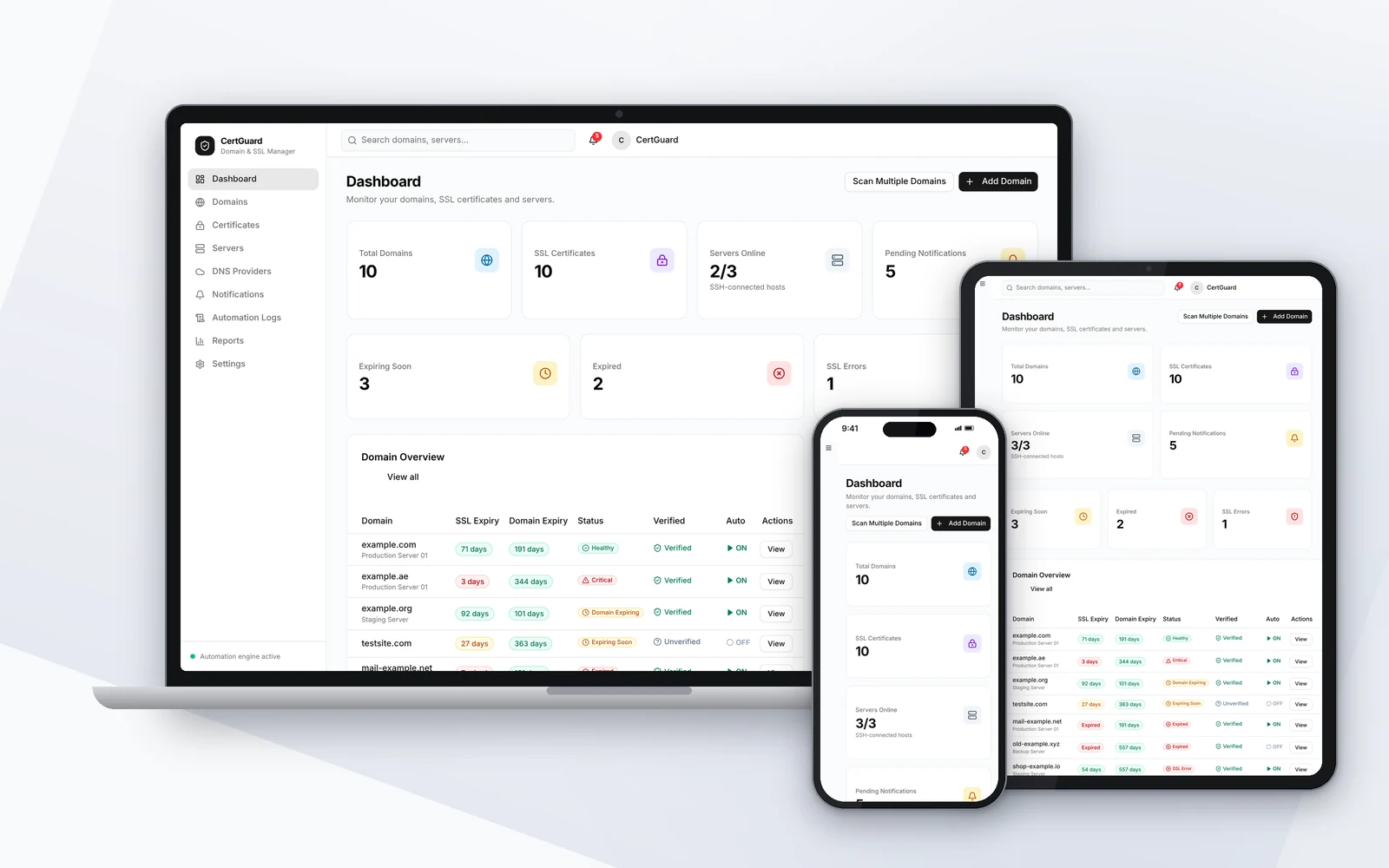
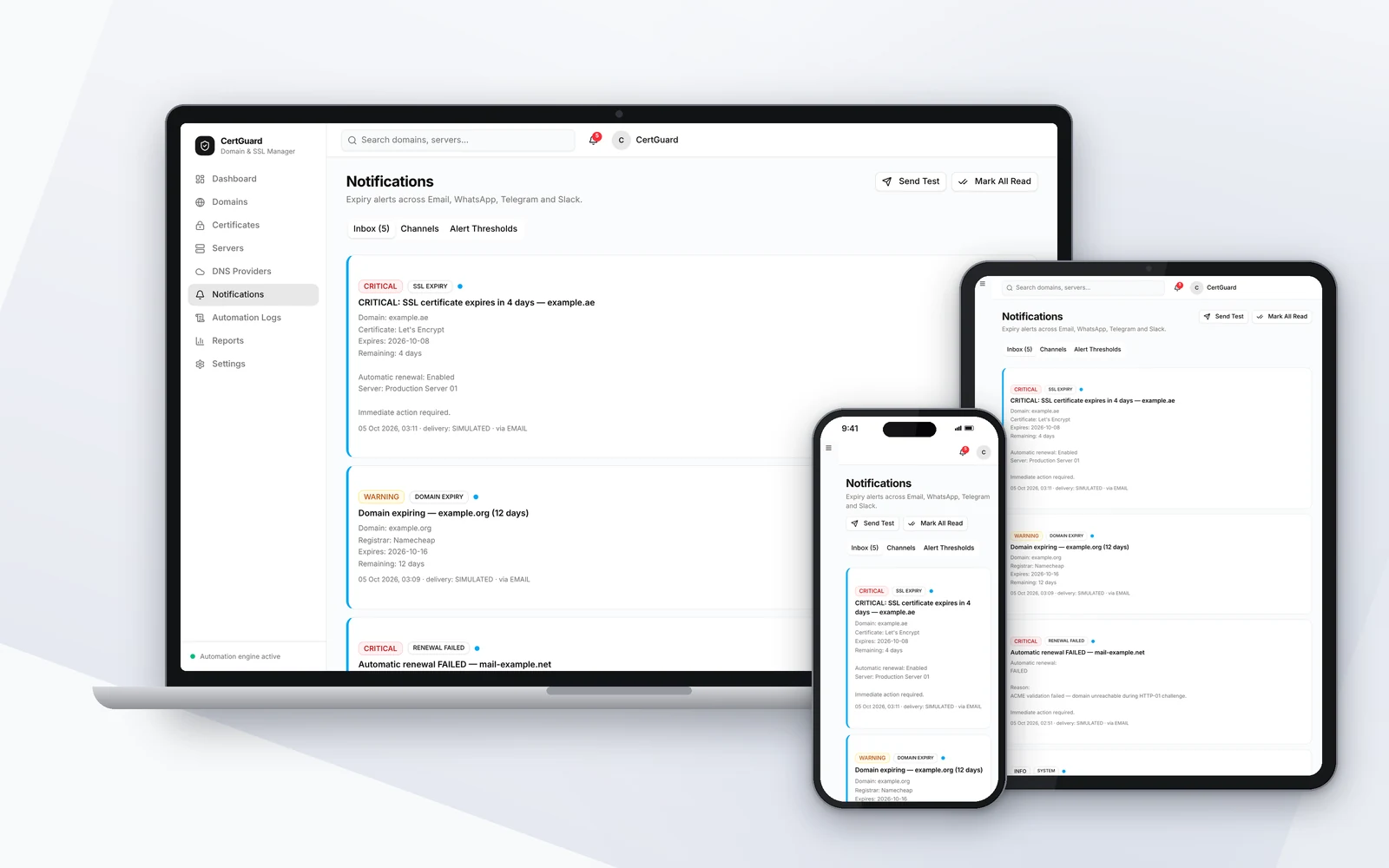
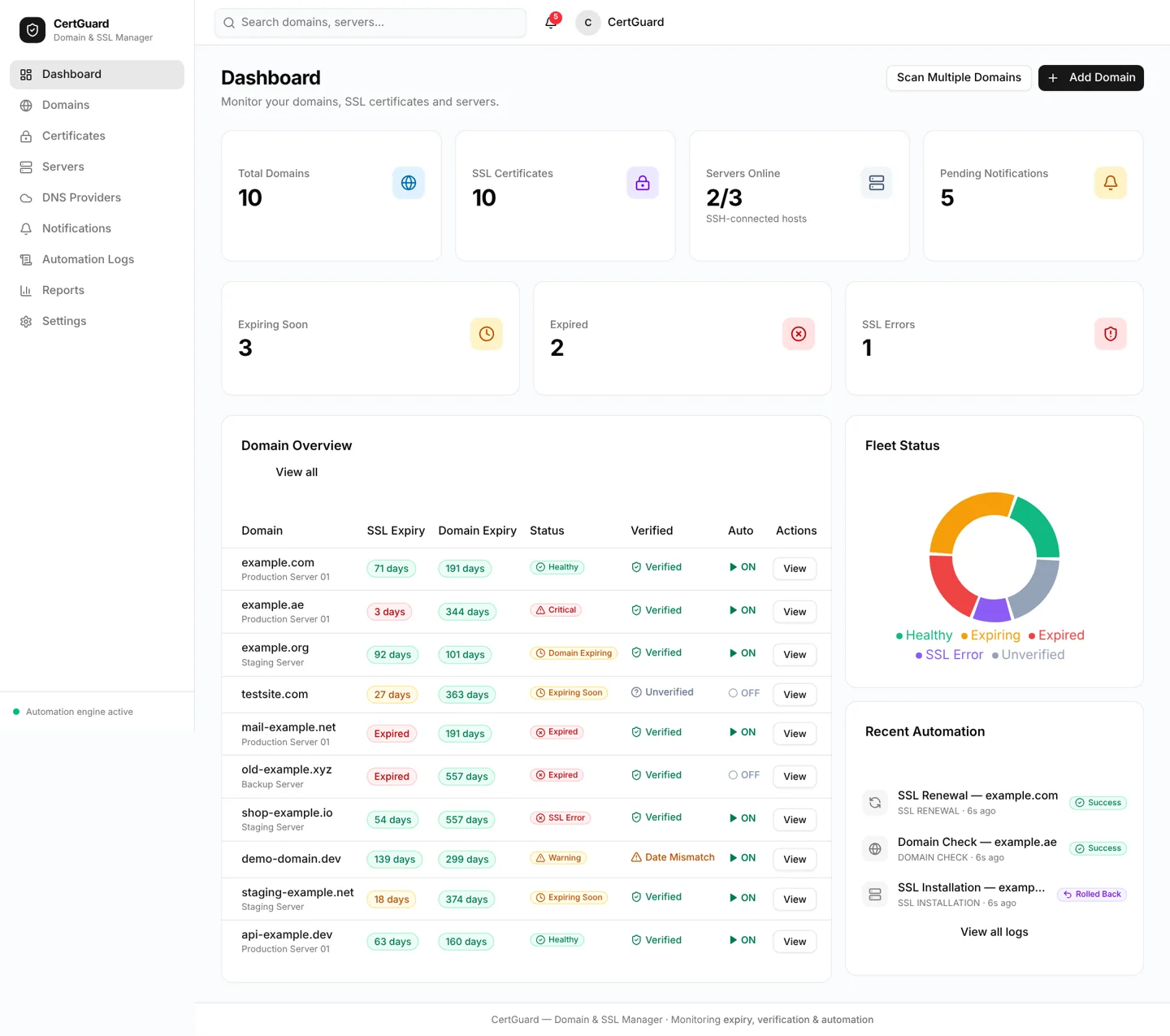
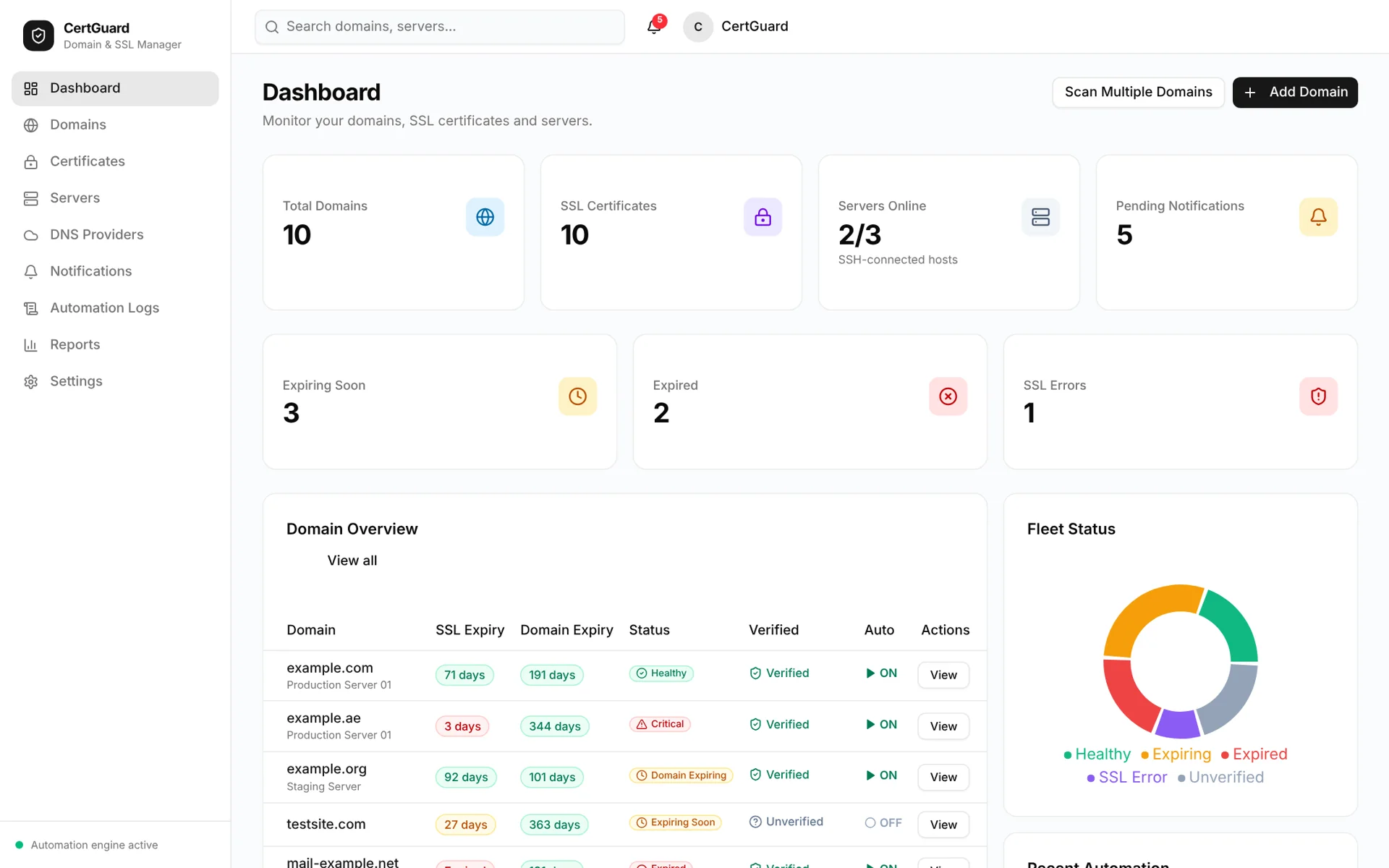
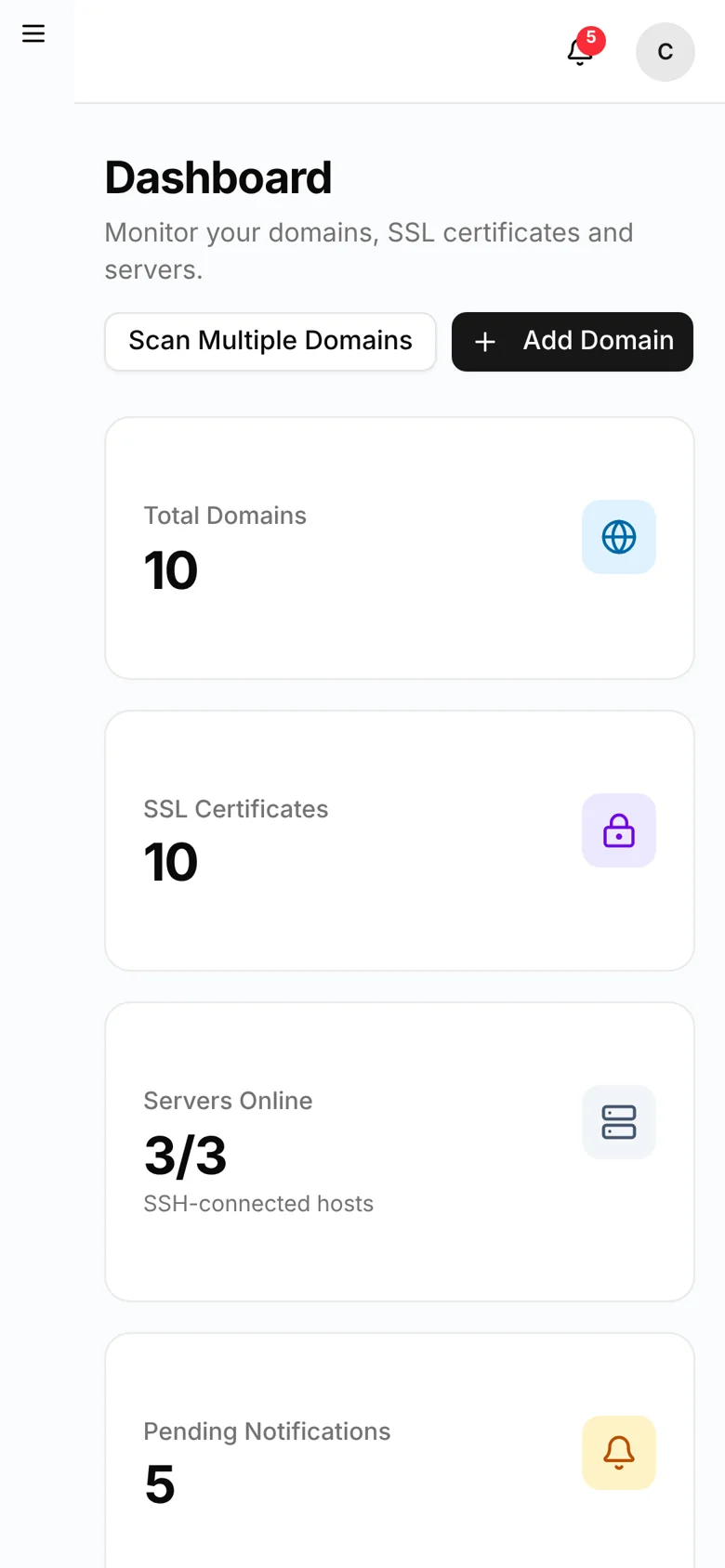
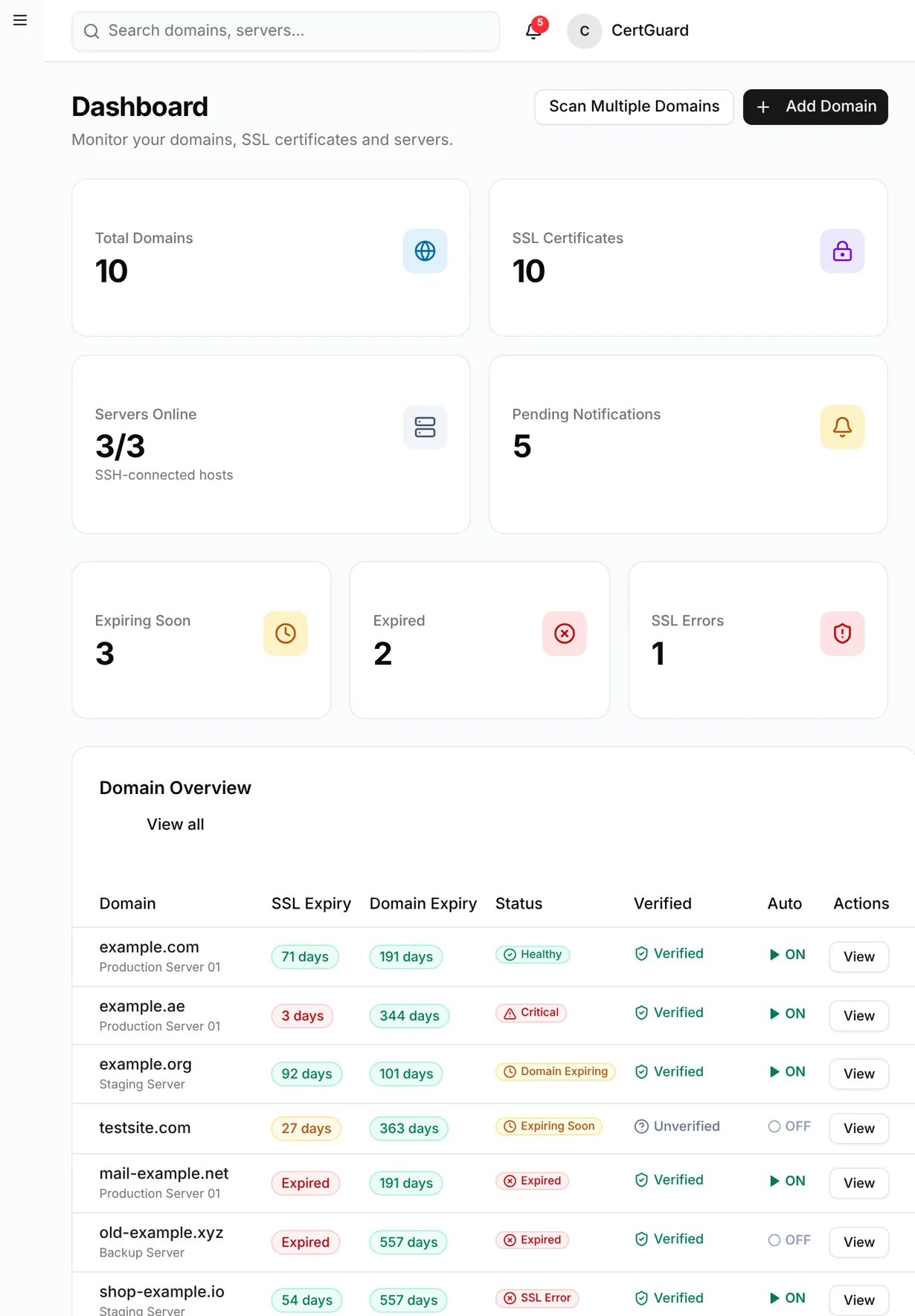
CertGuard dashboard on laptop, tablet and phone — domains, certificates, servers and alerts
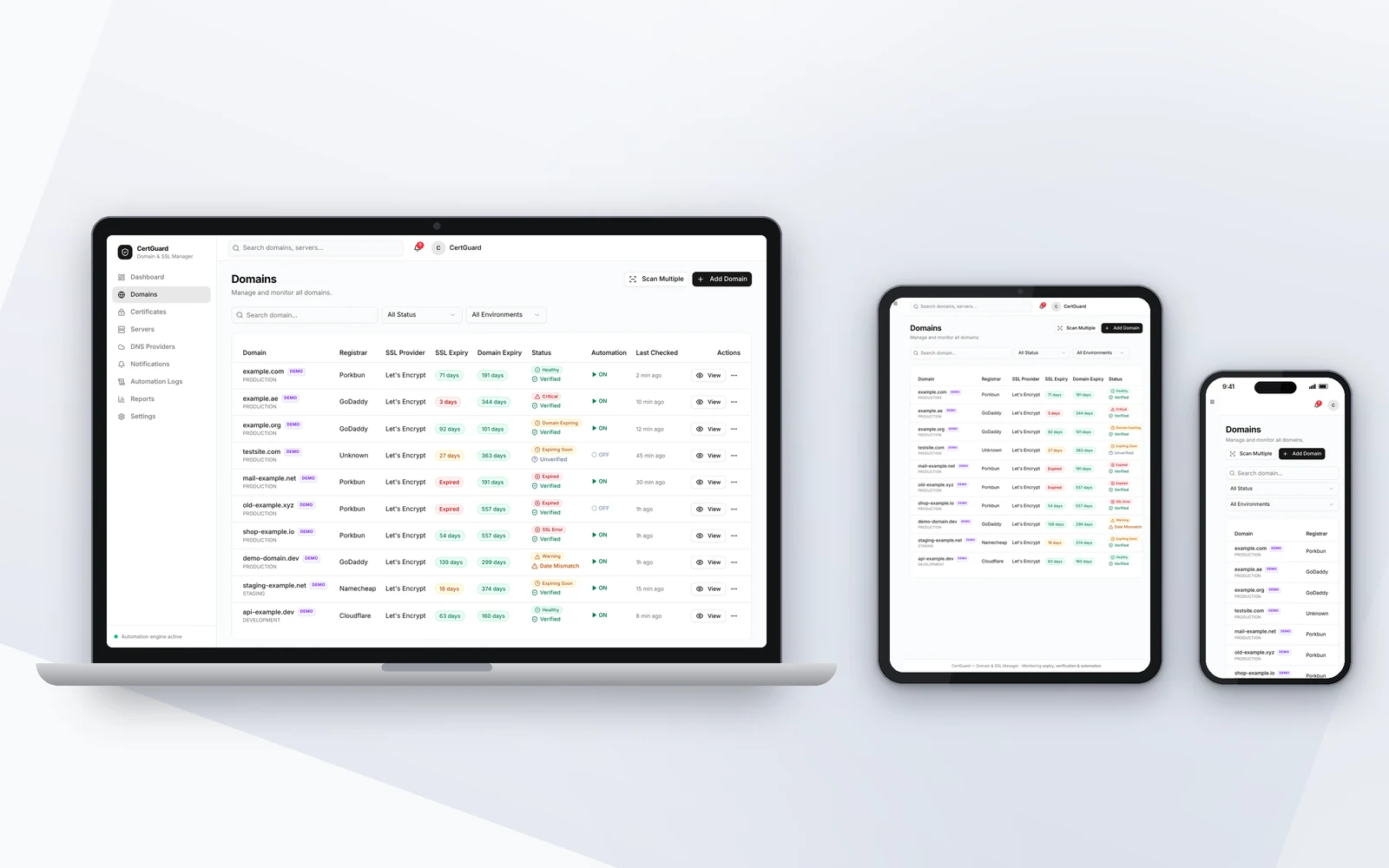
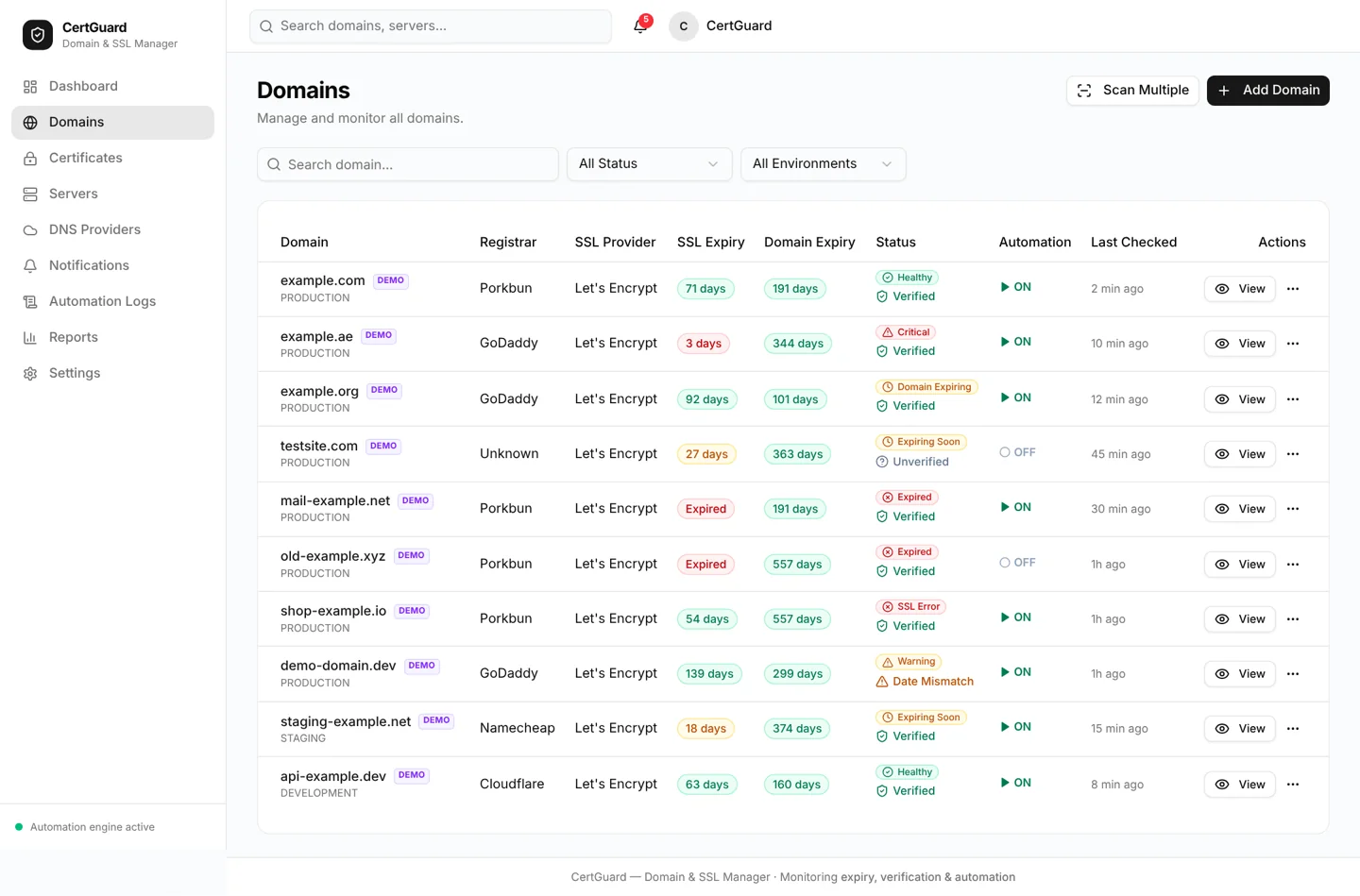
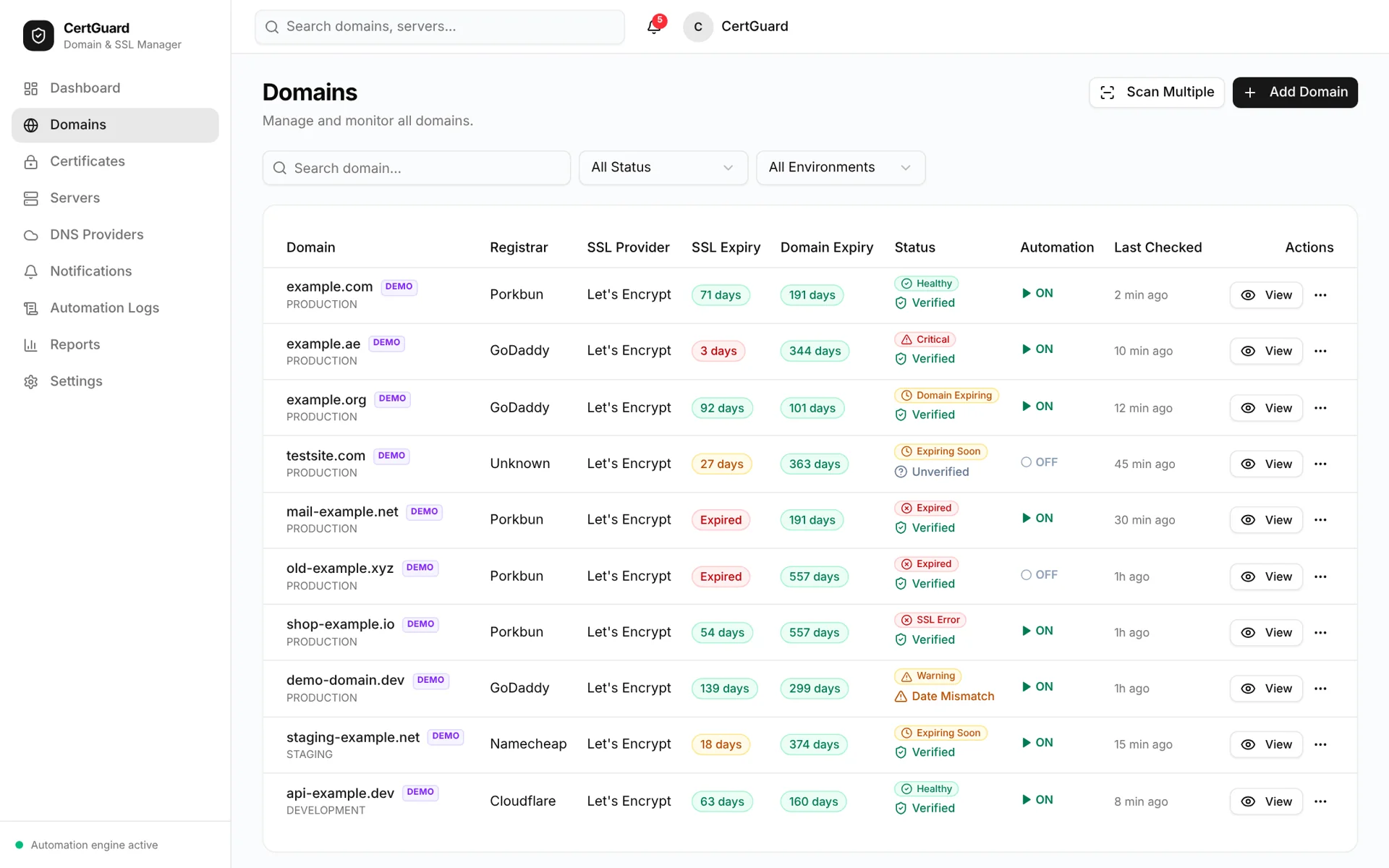
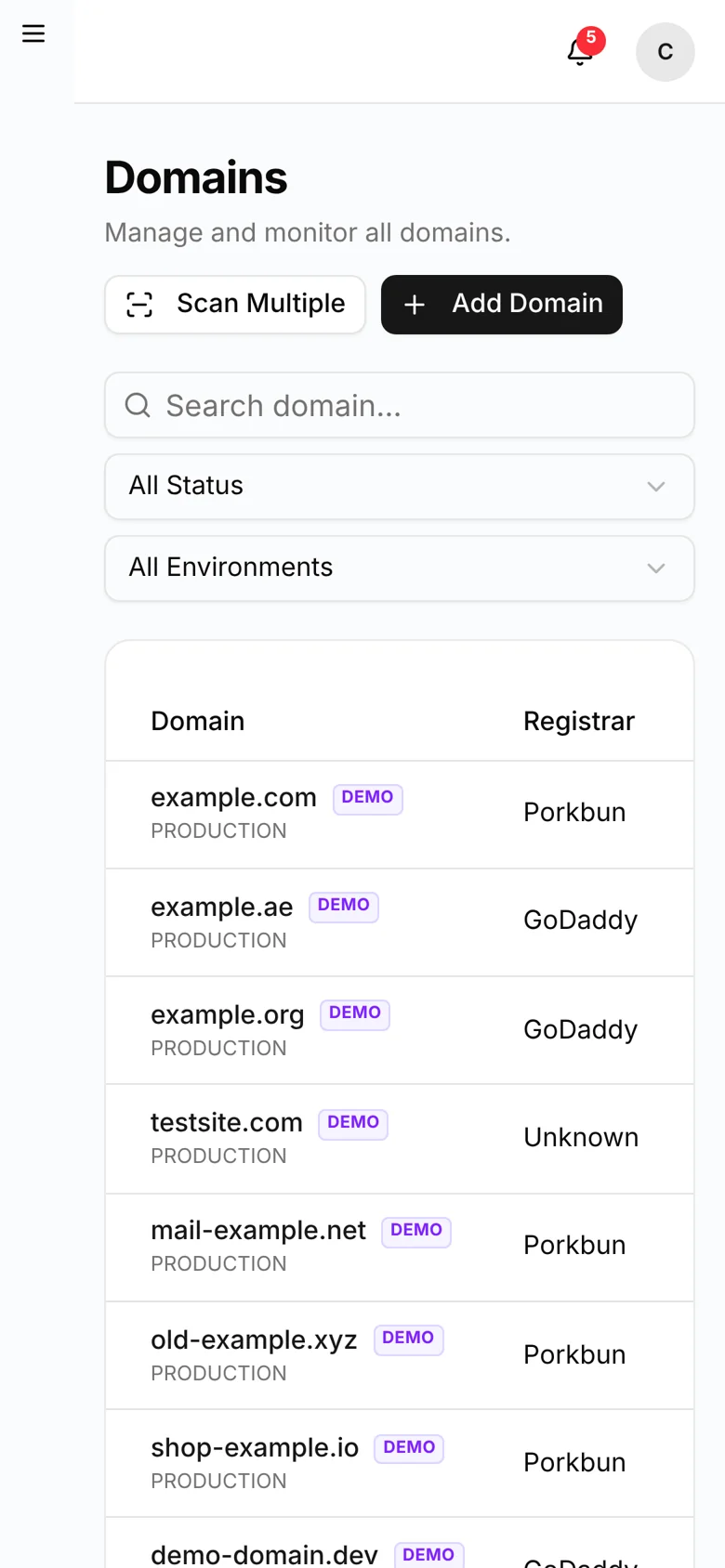
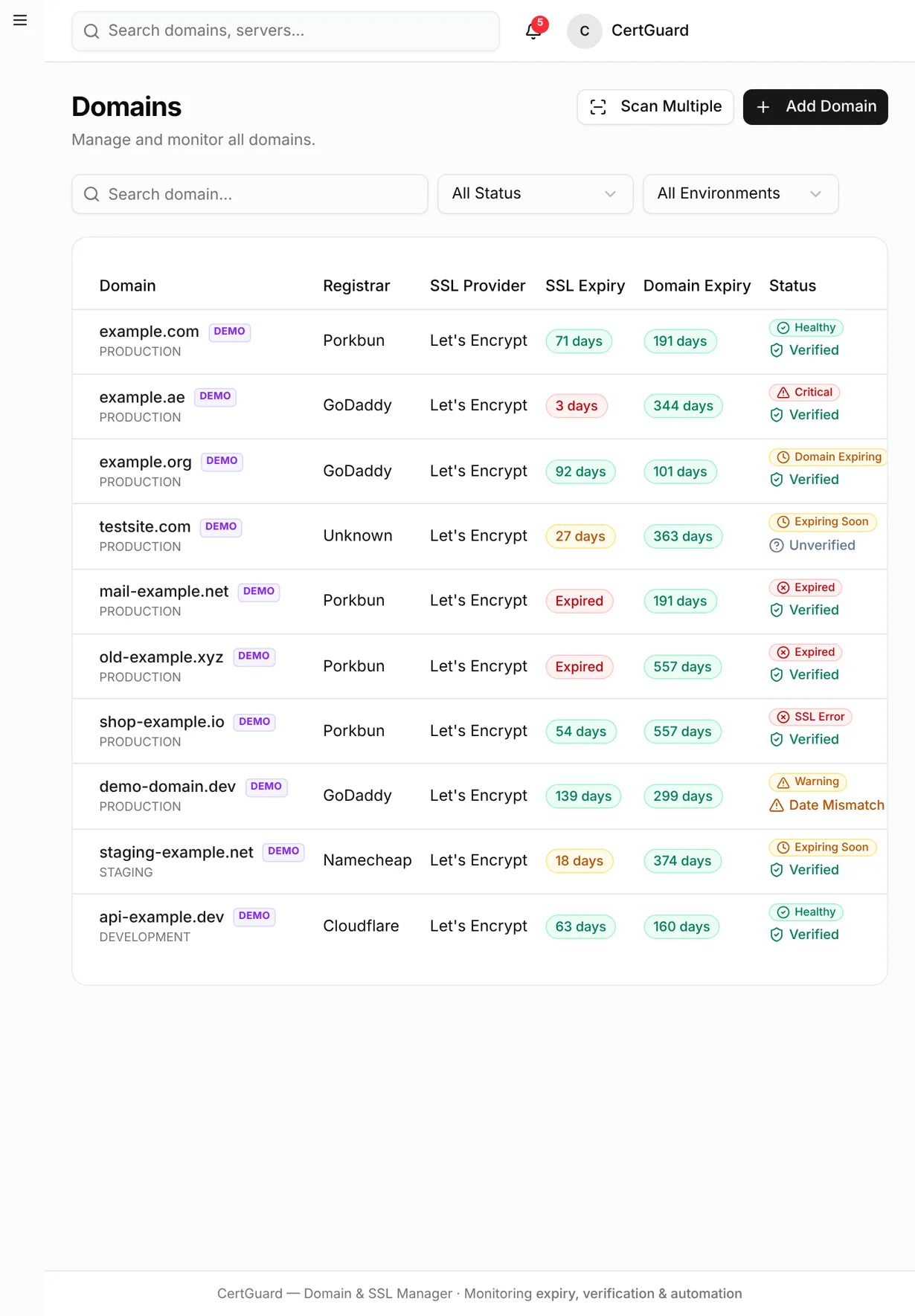
CertGuard domain list with registrar, SSL expiry, domain expiry and verification status
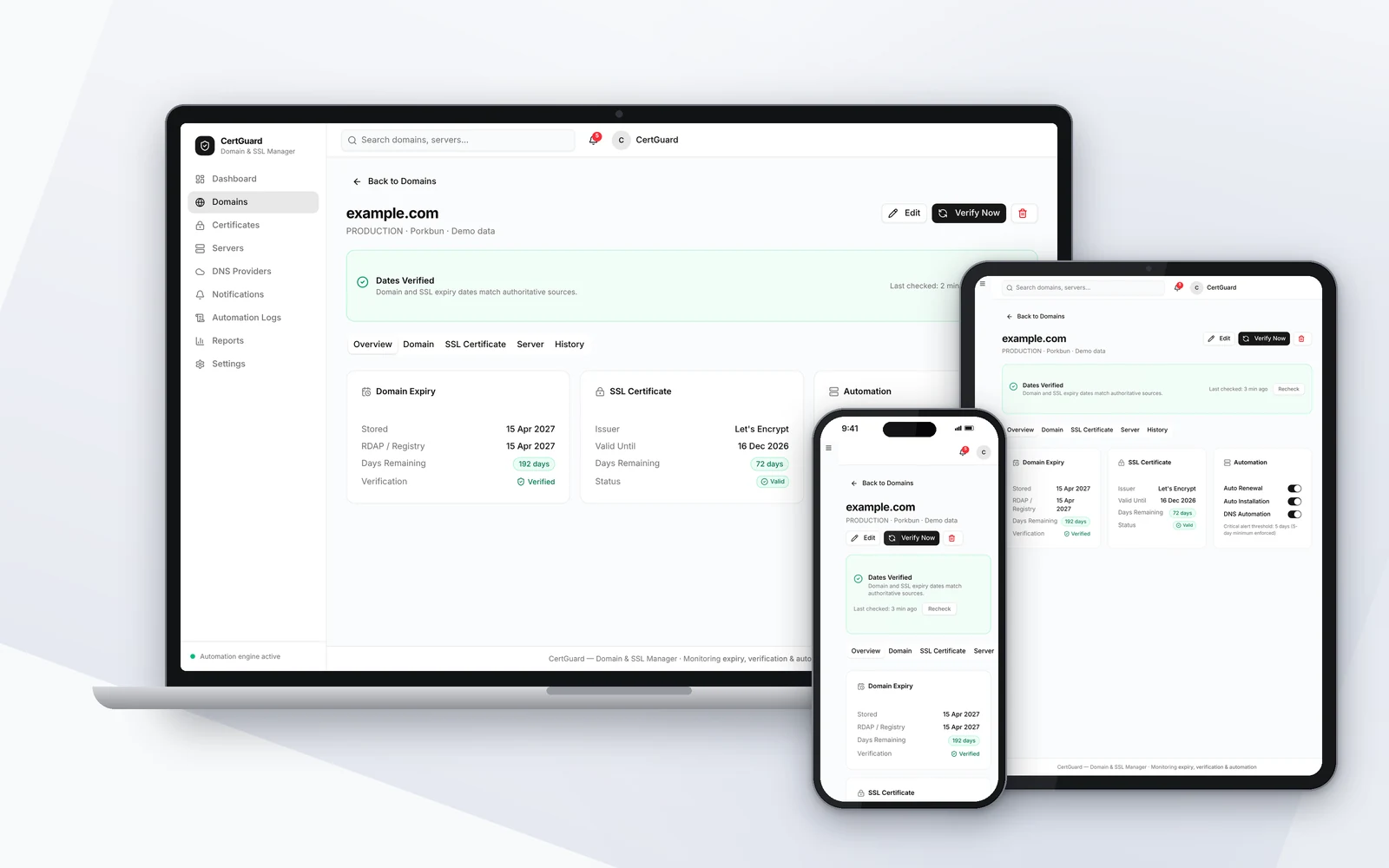
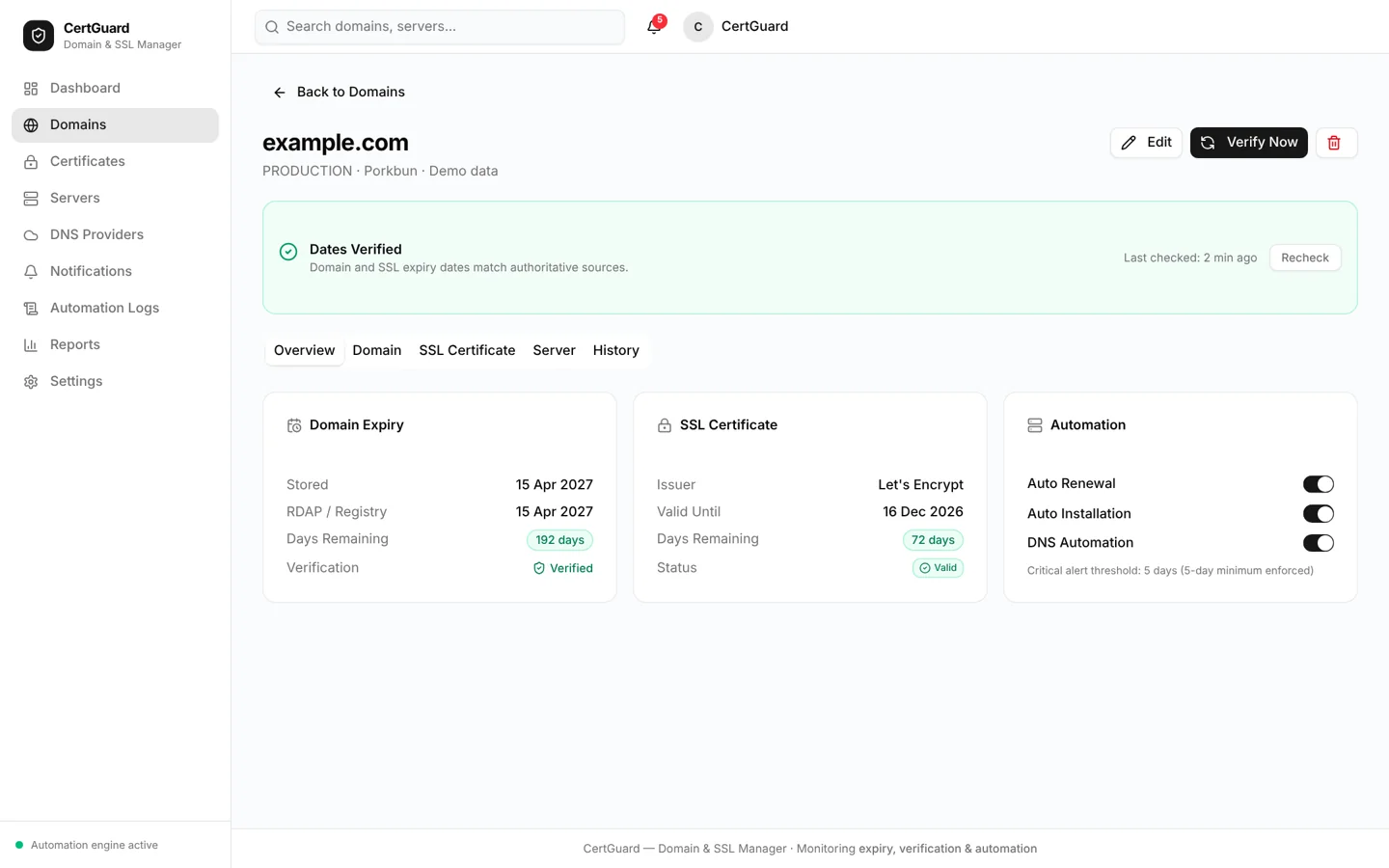
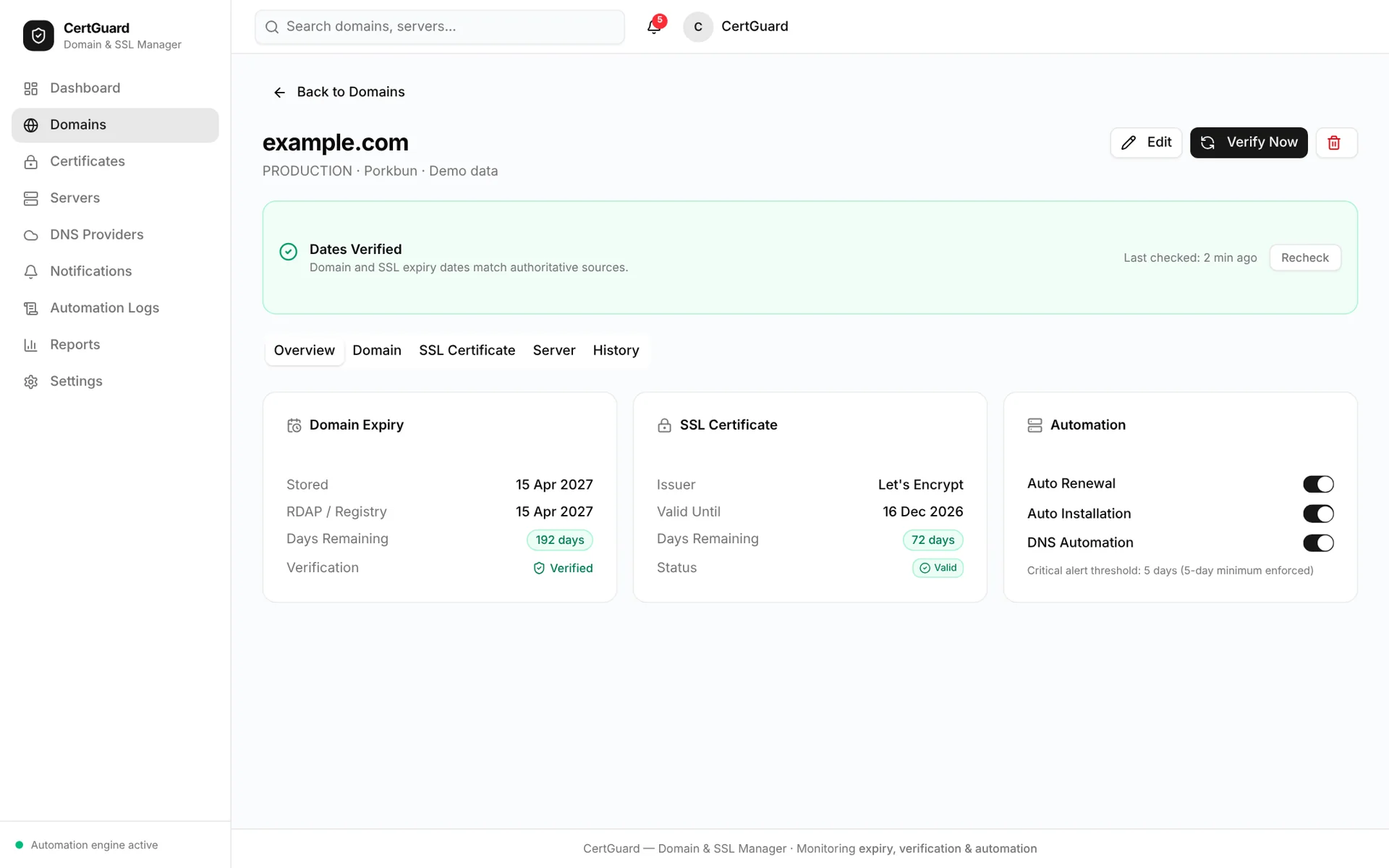
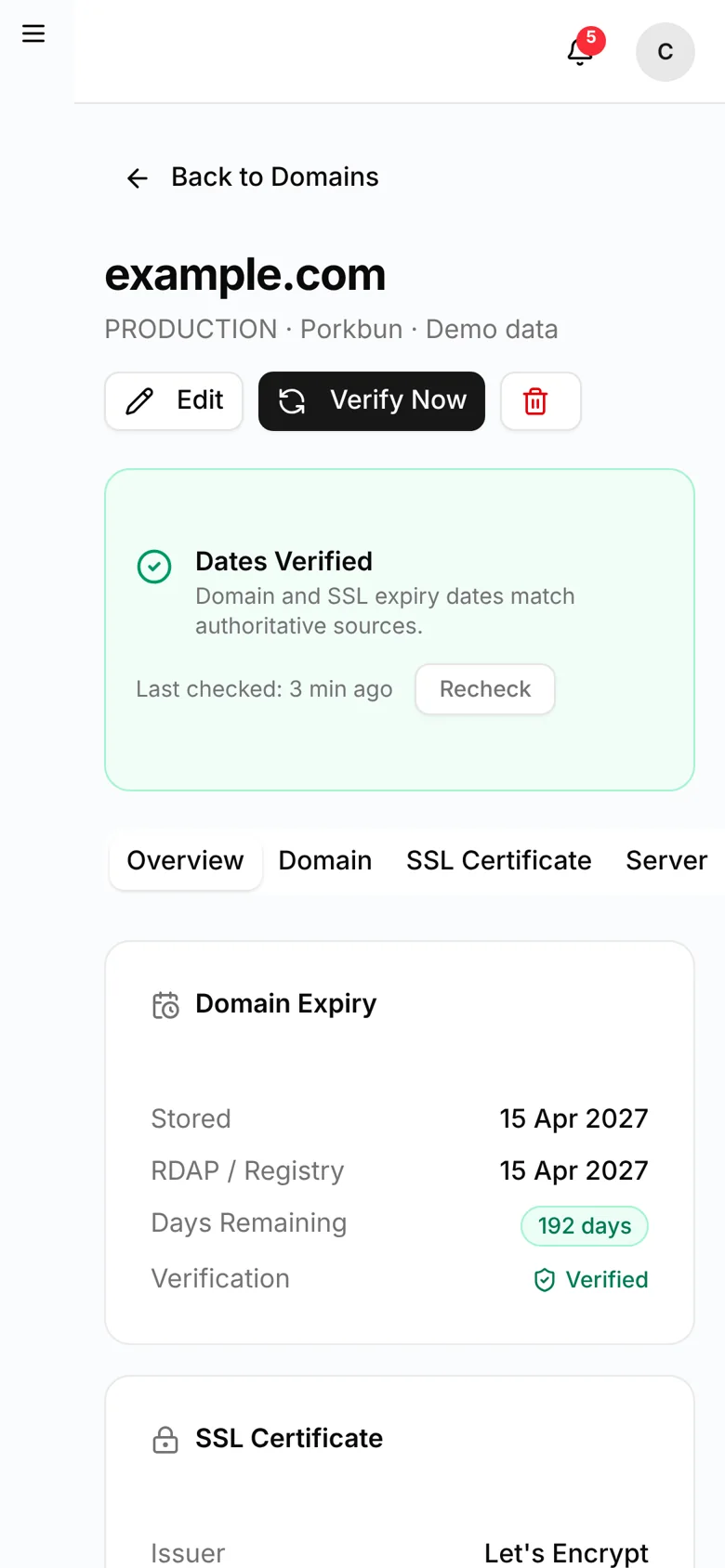
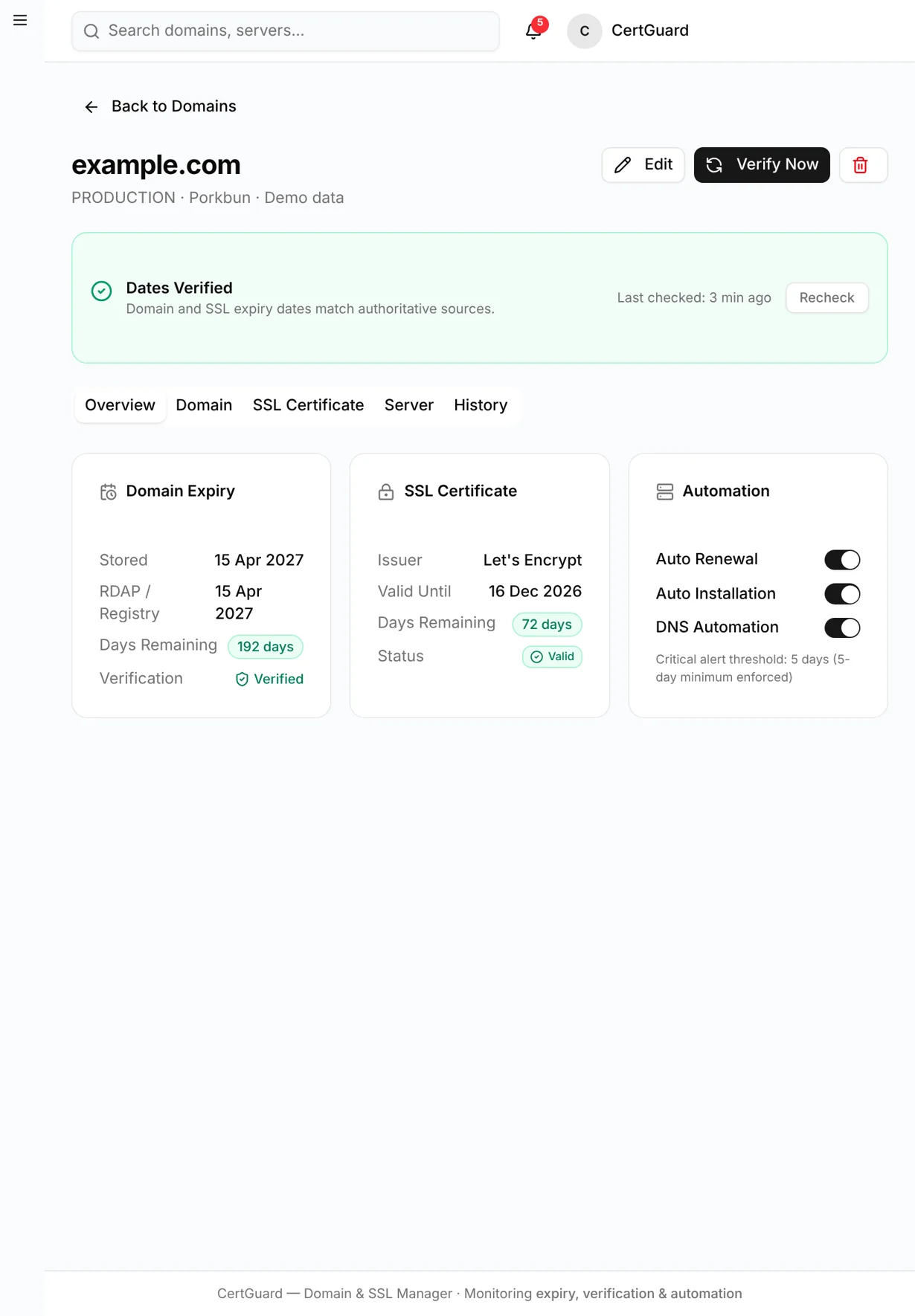
CertGuard domain detail comparing stored dates with RDAP and live SSL results
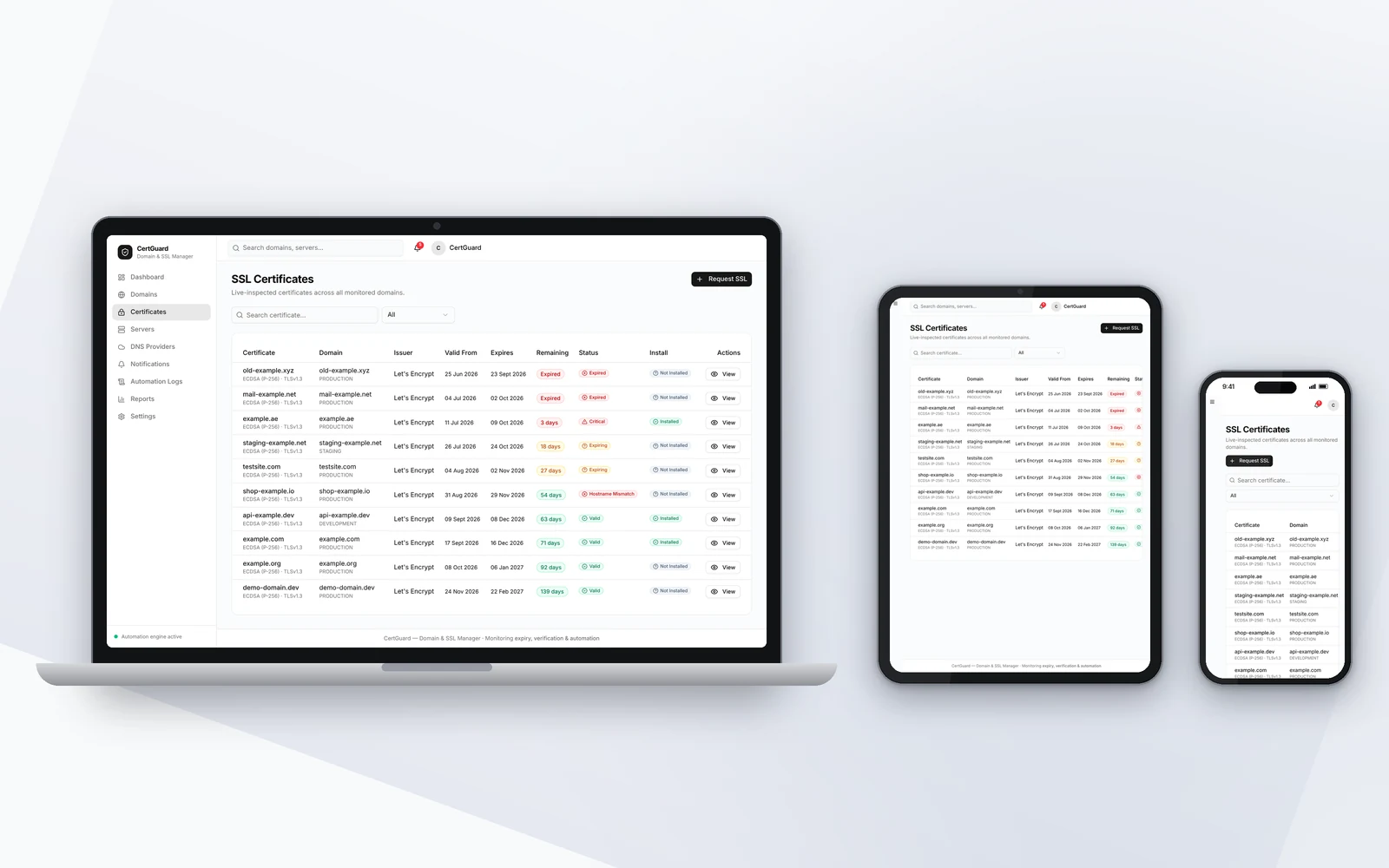
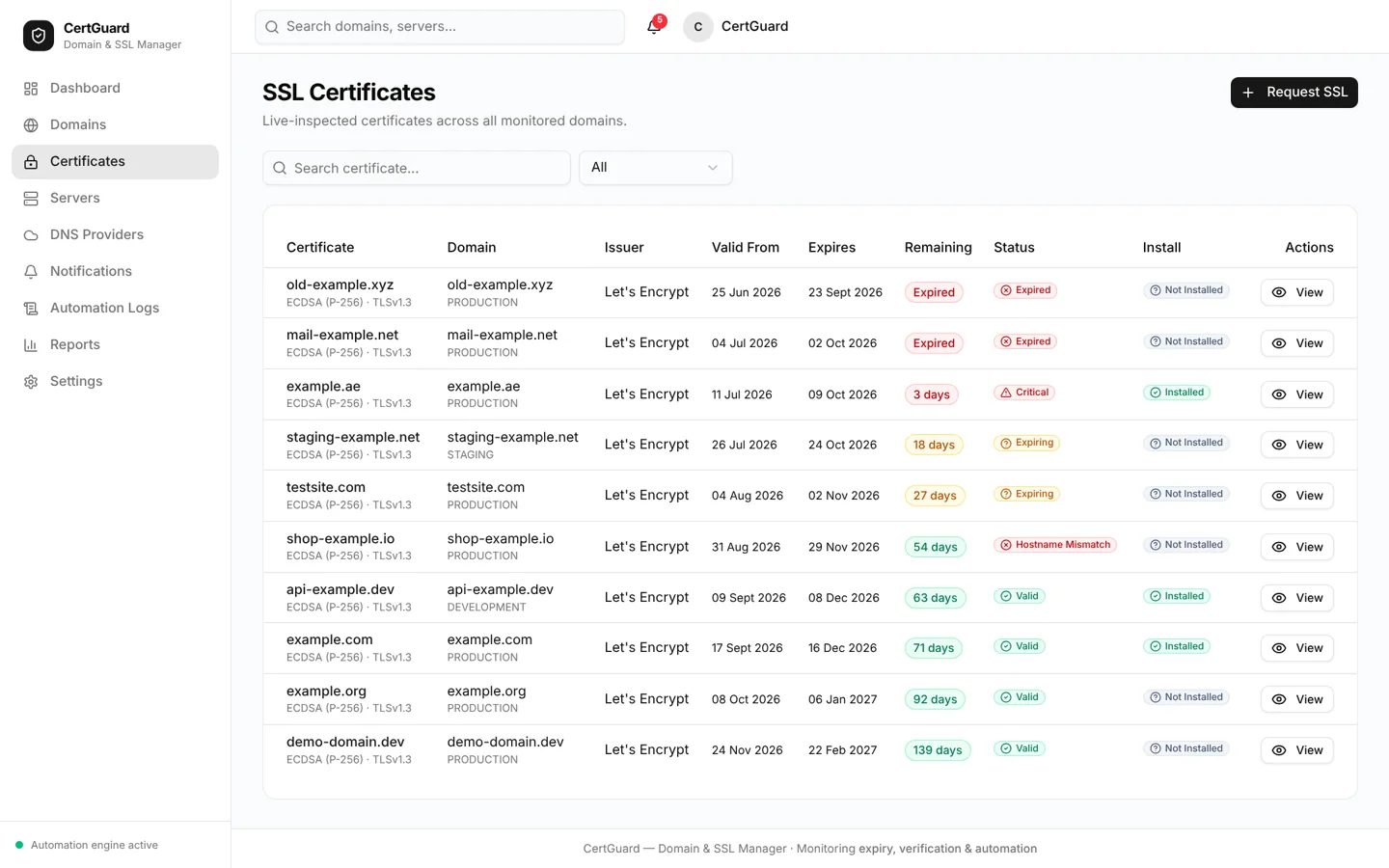
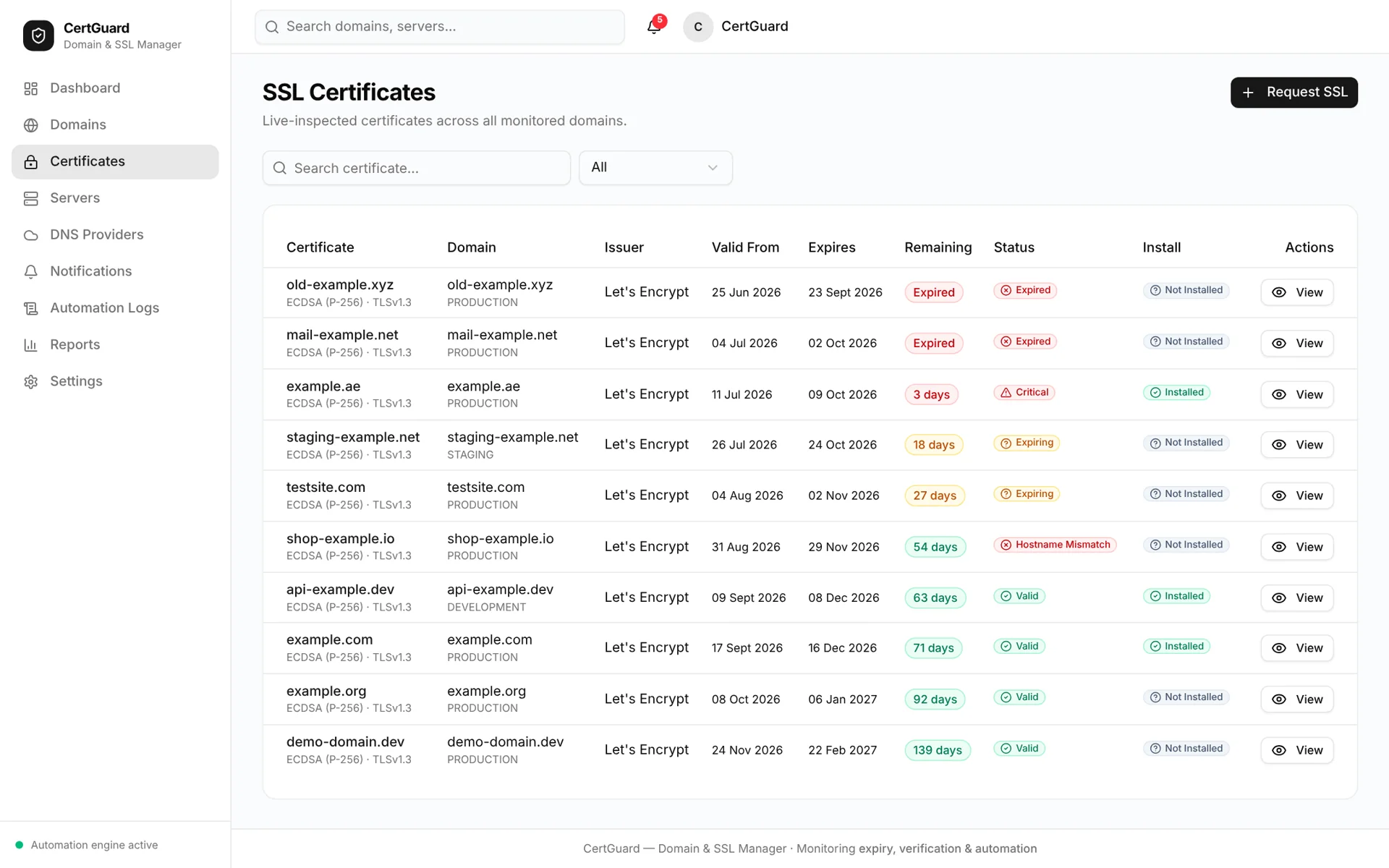
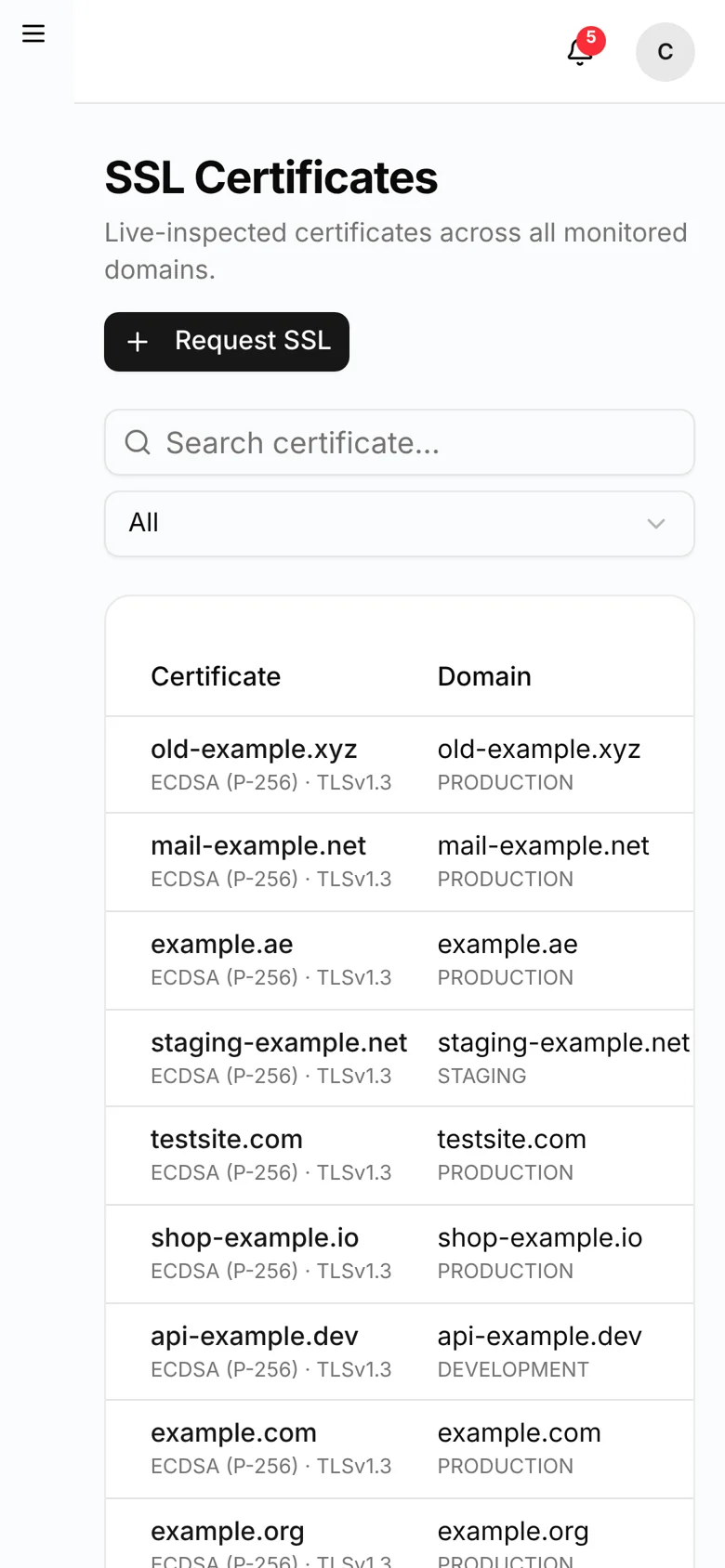
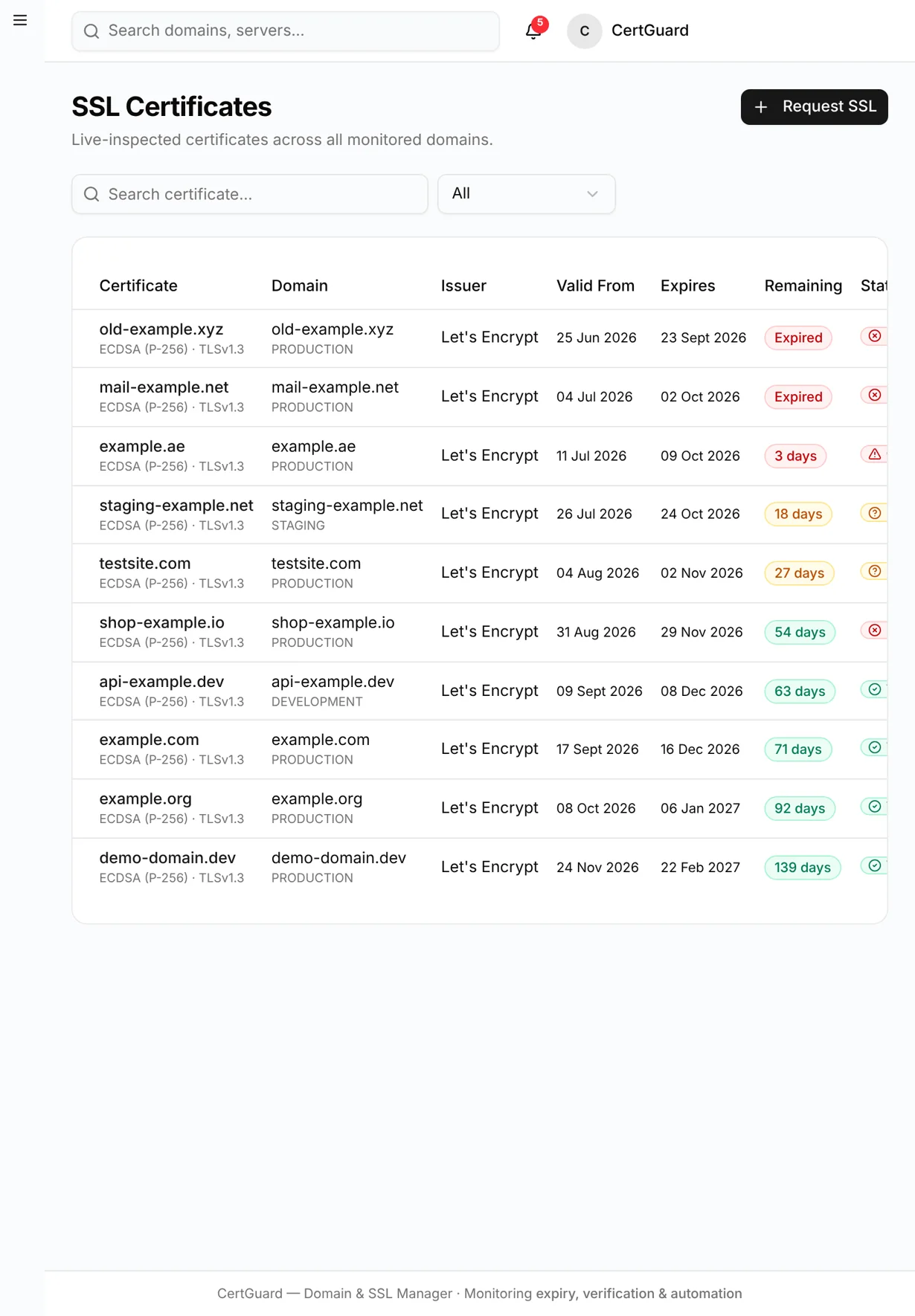
CertGuard certificate inventory with issuer, validity and install status
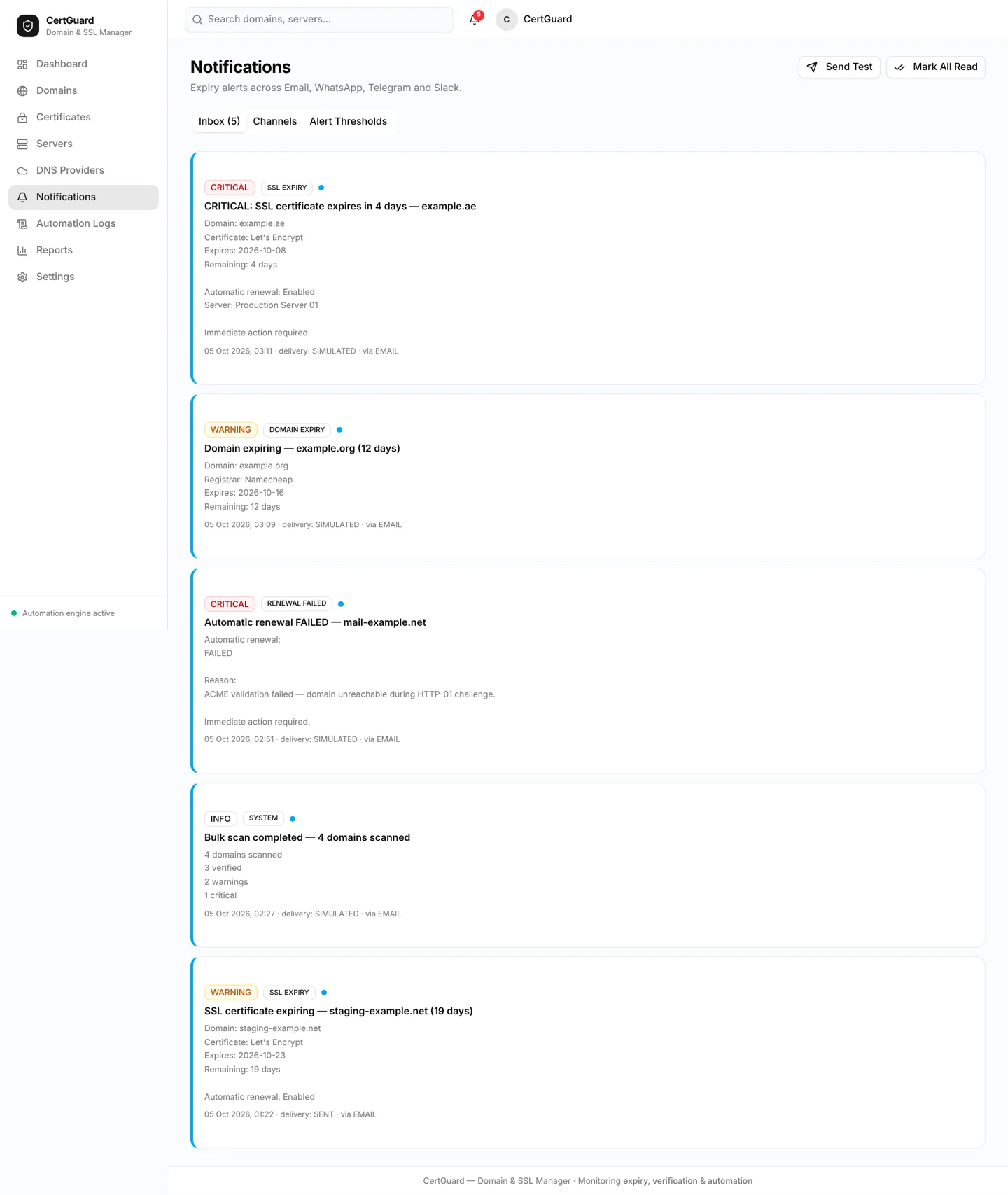
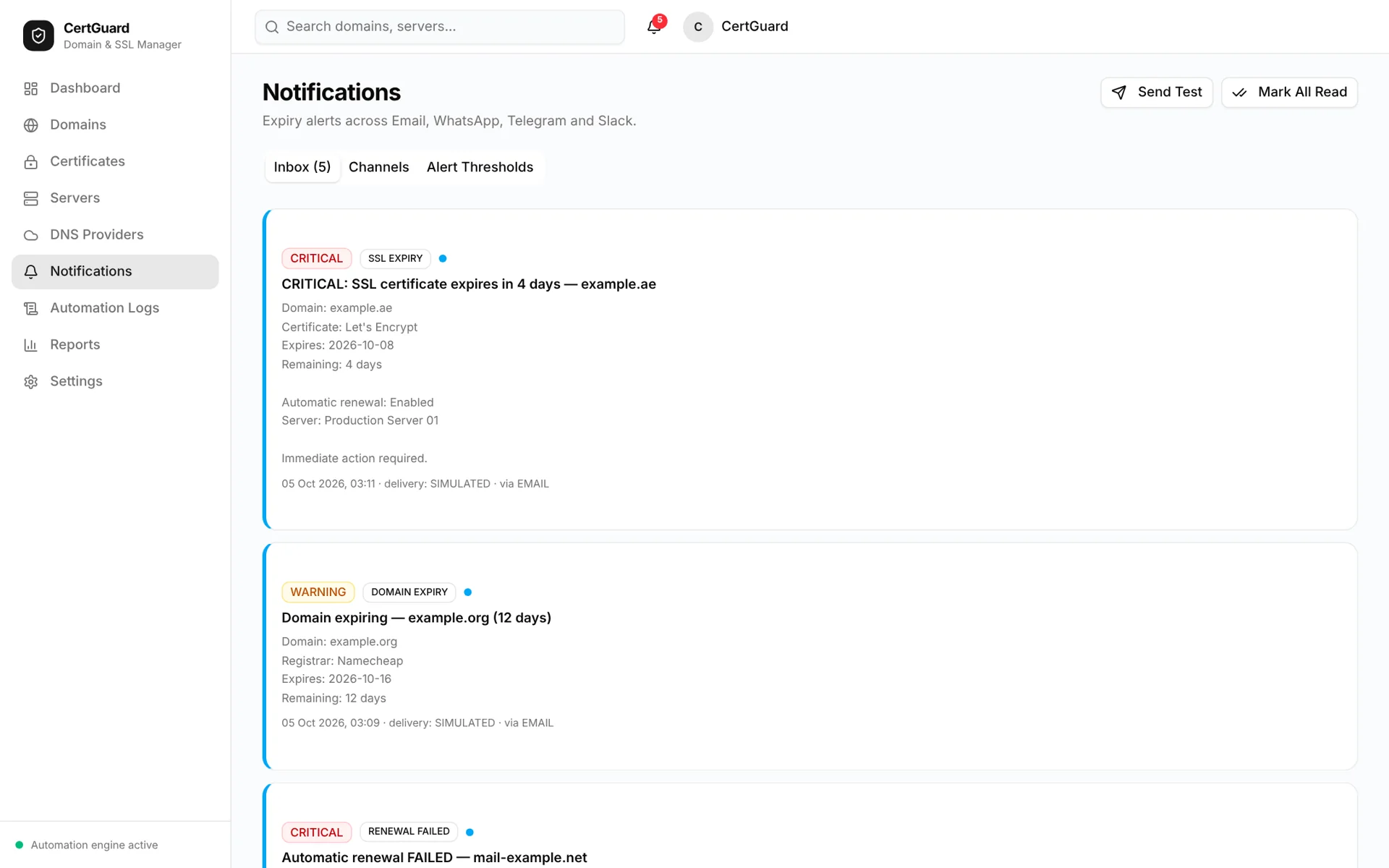
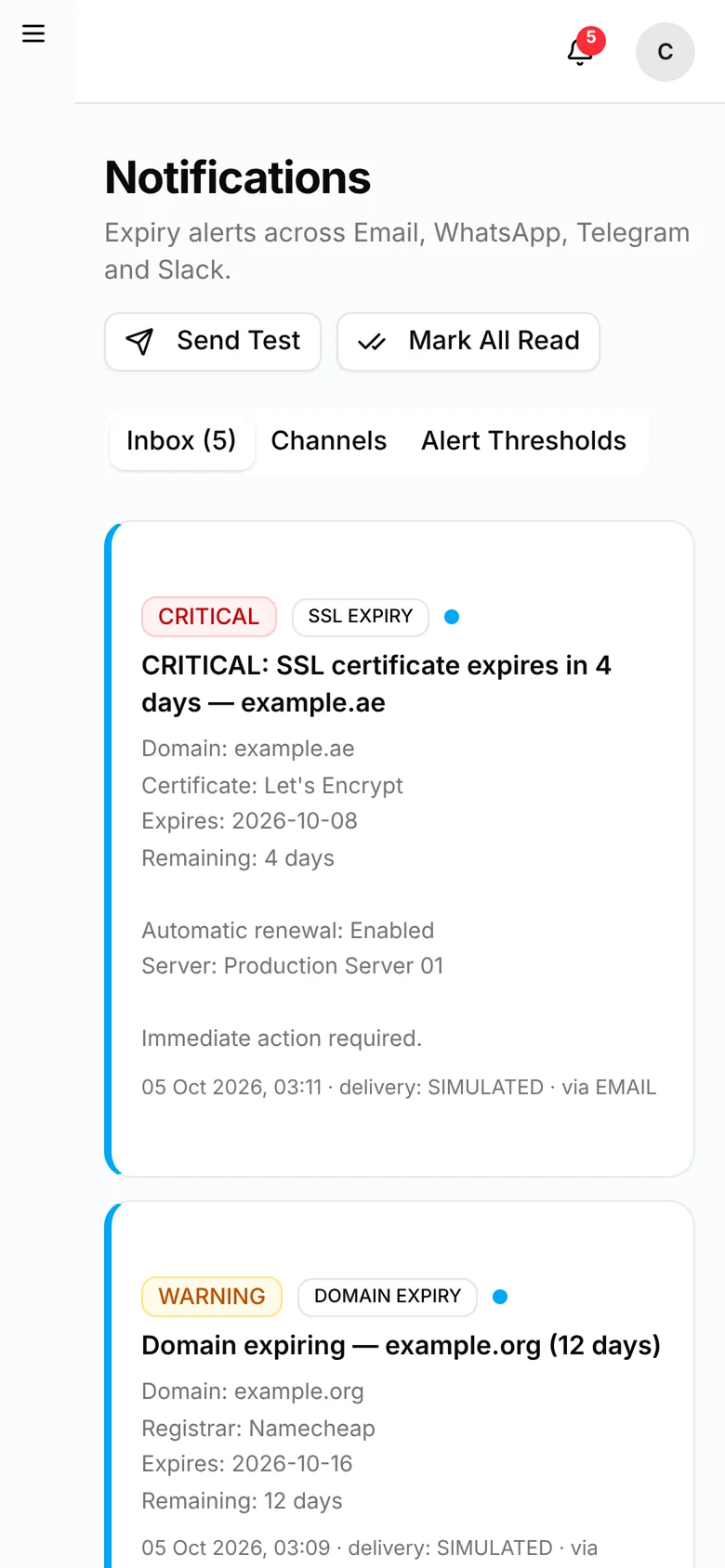
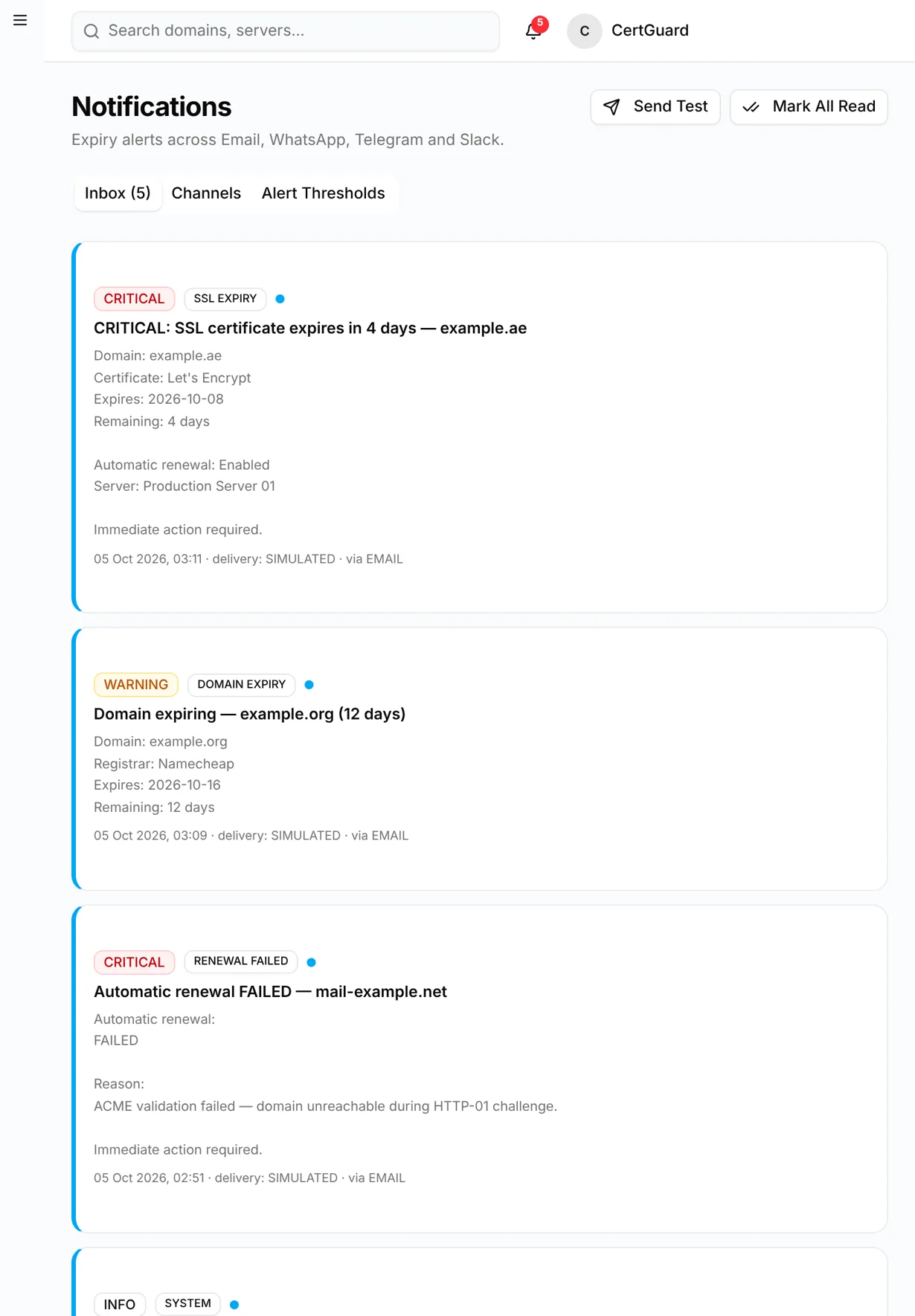
CertGuard notification inbox with critical expiry alerts
1 / 5
Next.js

Domain & SSL management

Screens

Desktop, tablet & mobile

Media

5 images

Explore the screens

Browse desktop, tablet and mobile views. Open any image to see it at full size.

View all 32 screens
CertGuard — certificates desktop full
certificates desktop full
CertGuard — certificates desktop
certificates desktop
CertGuard — certificates mobile
certificates mobile
CertGuard — certificates tablet
certificates tablet
CertGuard — dashboard desktop full
dashboard desktop full
CertGuard — dashboard desktop
dashboard desktop
CertGuard — dashboard mobile
dashboard mobile
CertGuard — dashboard tablet
dashboard tablet
CertGuard — domain detail desktop full
domain detail desktop full
CertGuard — domain detail desktop
domain detail desktop
CertGuard — domain detail mobile
domain detail mobile
CertGuard — domain detail tablet
domain detail tablet
CertGuard — domains desktop full
domains desktop full
CertGuard — domains desktop
domains desktop
CertGuard — domains mobile
domains mobile
CertGuard — domains tablet
domains tablet
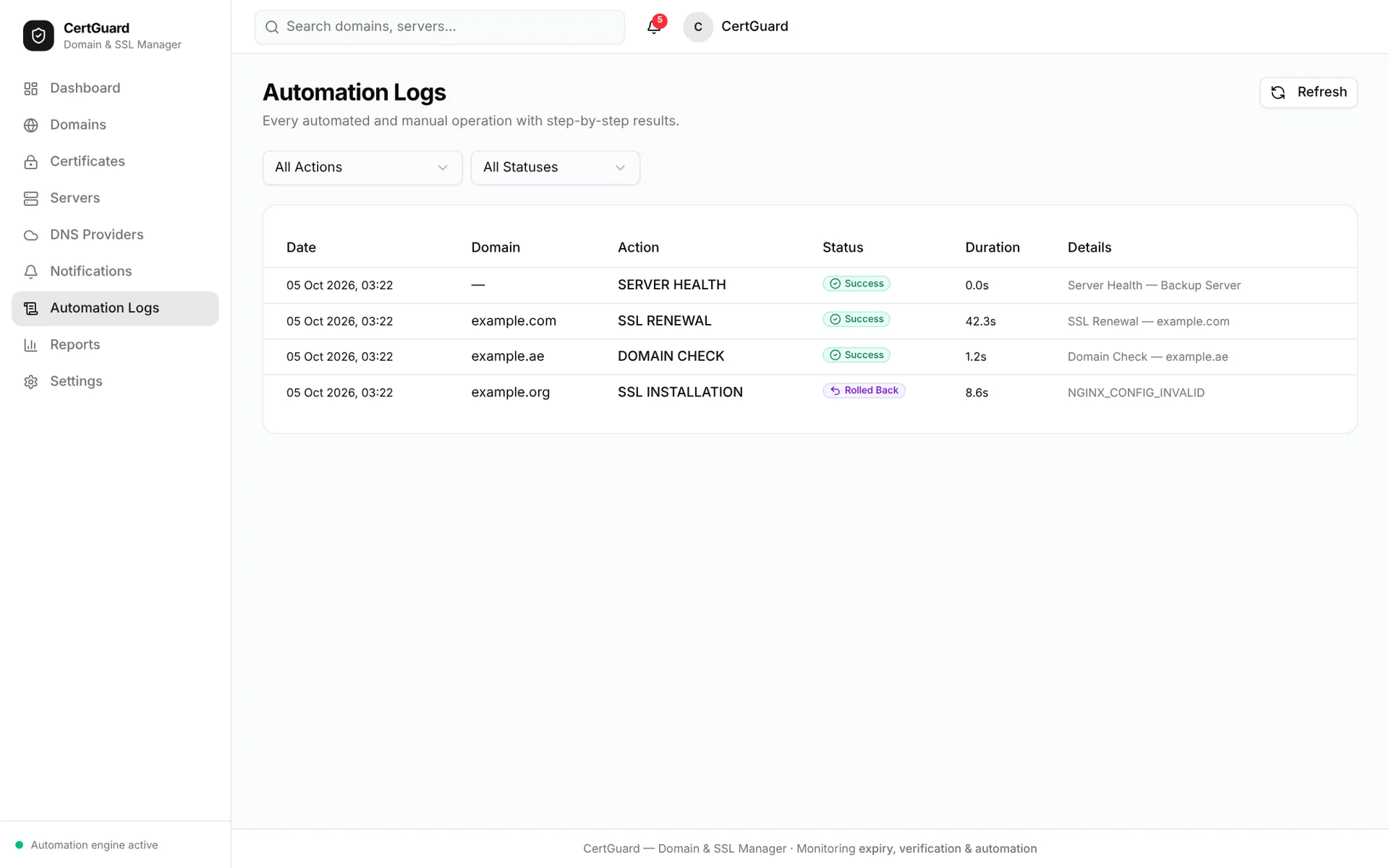
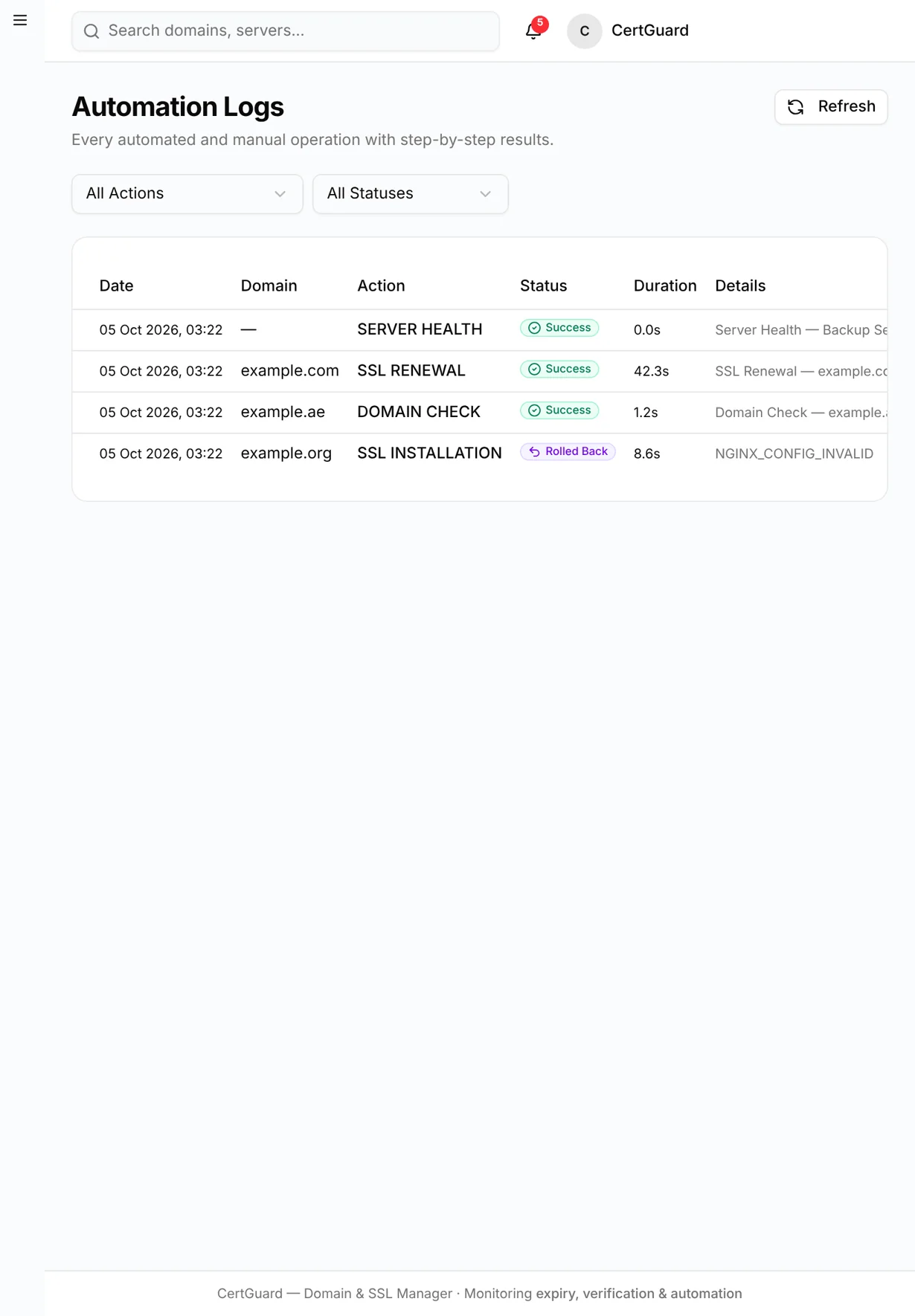
CertGuard — logs desktop full
logs desktop full
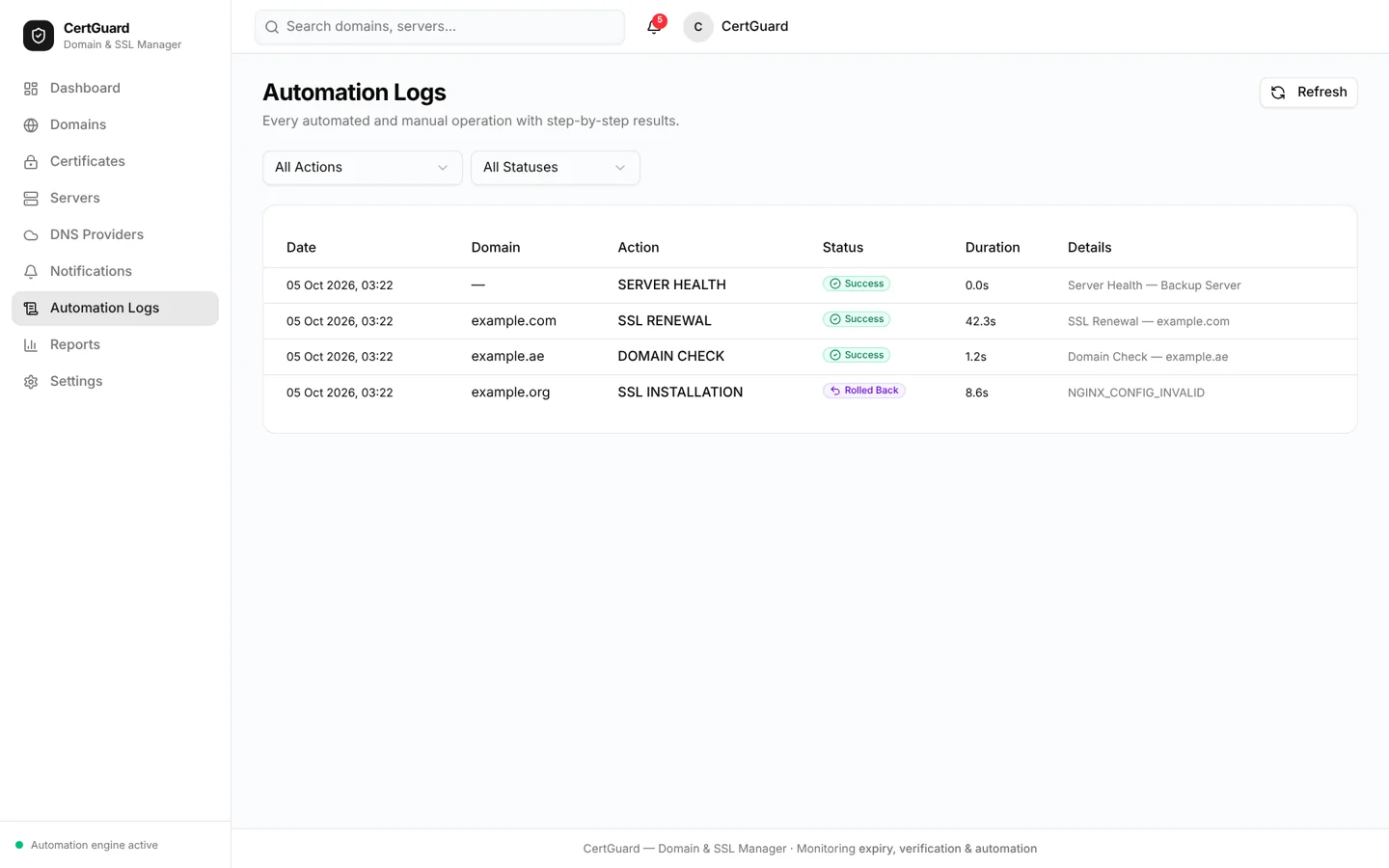
CertGuard — logs desktop
logs desktop
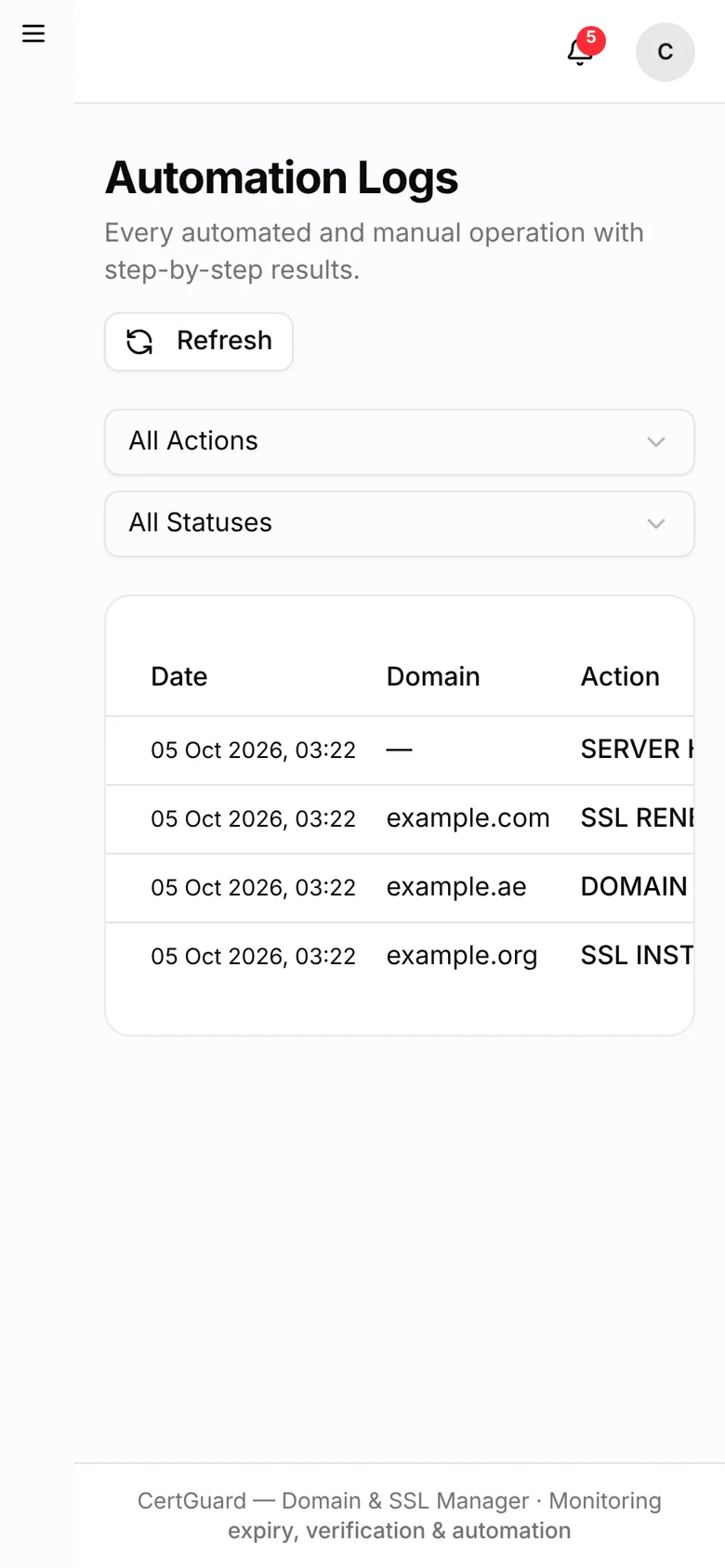
CertGuard — logs mobile
logs mobile
CertGuard — logs tablet
logs tablet
CertGuard — notifications desktop full
notifications desktop full
CertGuard — notifications desktop
notifications desktop
CertGuard — notifications mobile
notifications mobile
CertGuard — notifications tablet
notifications tablet
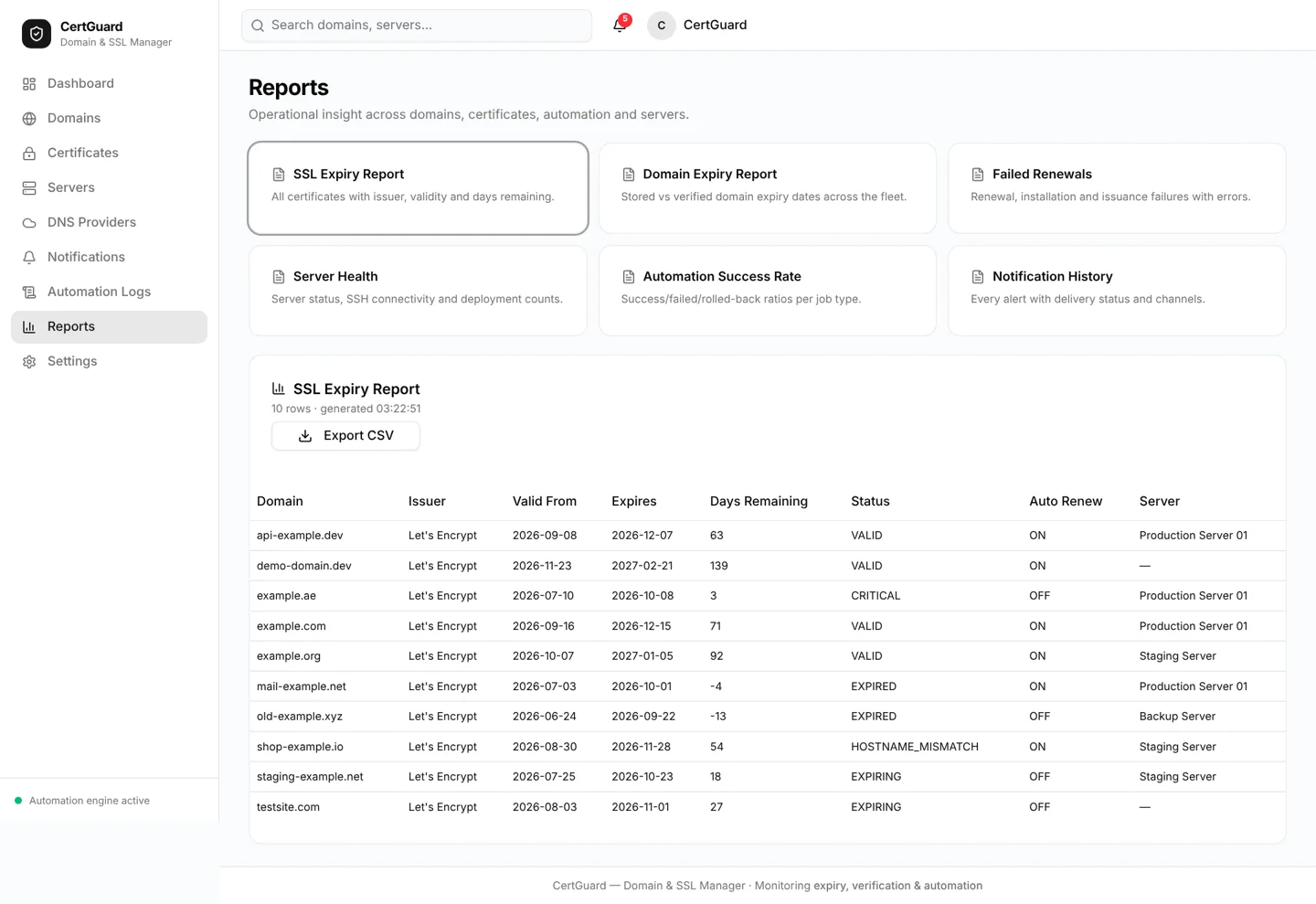
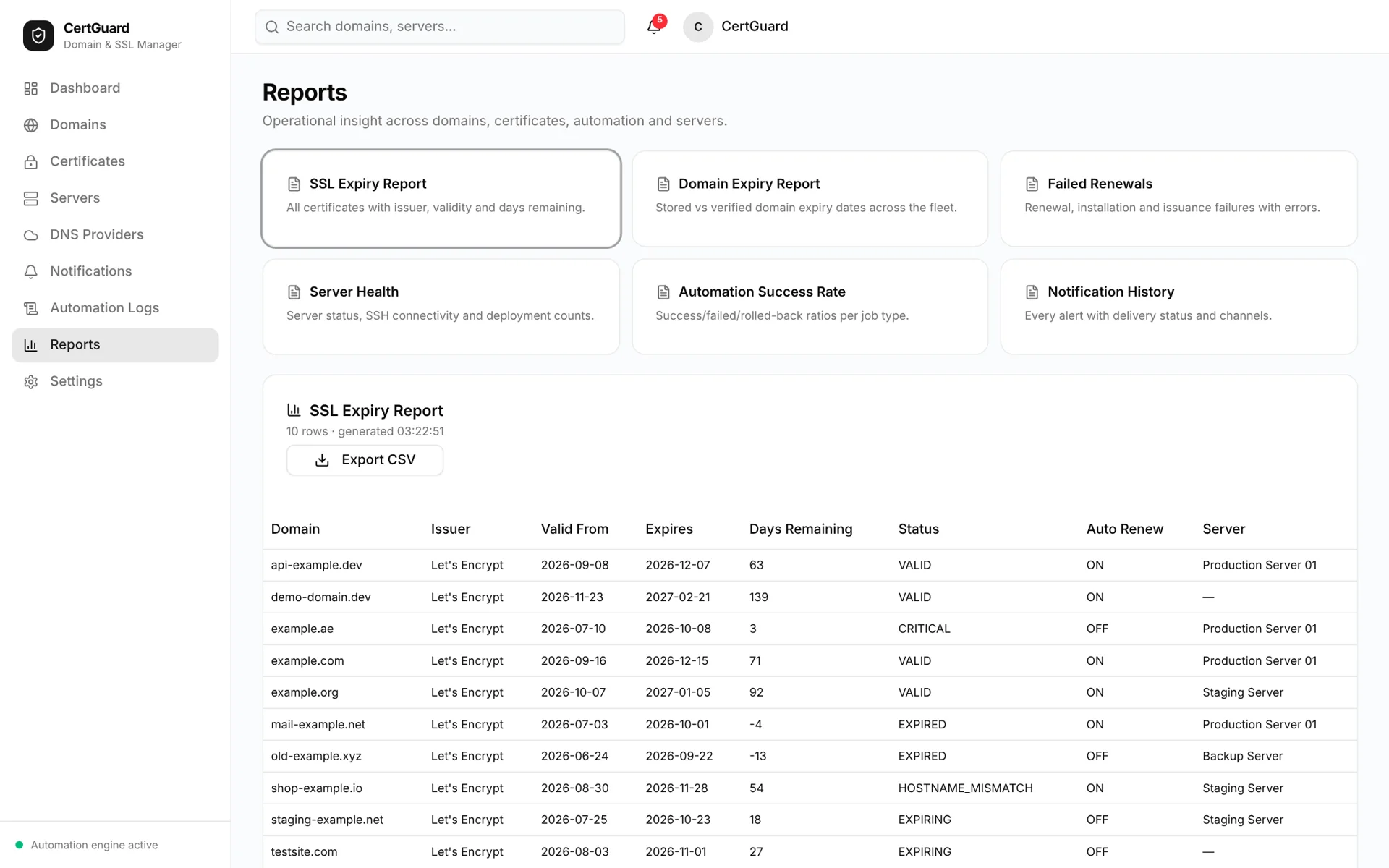
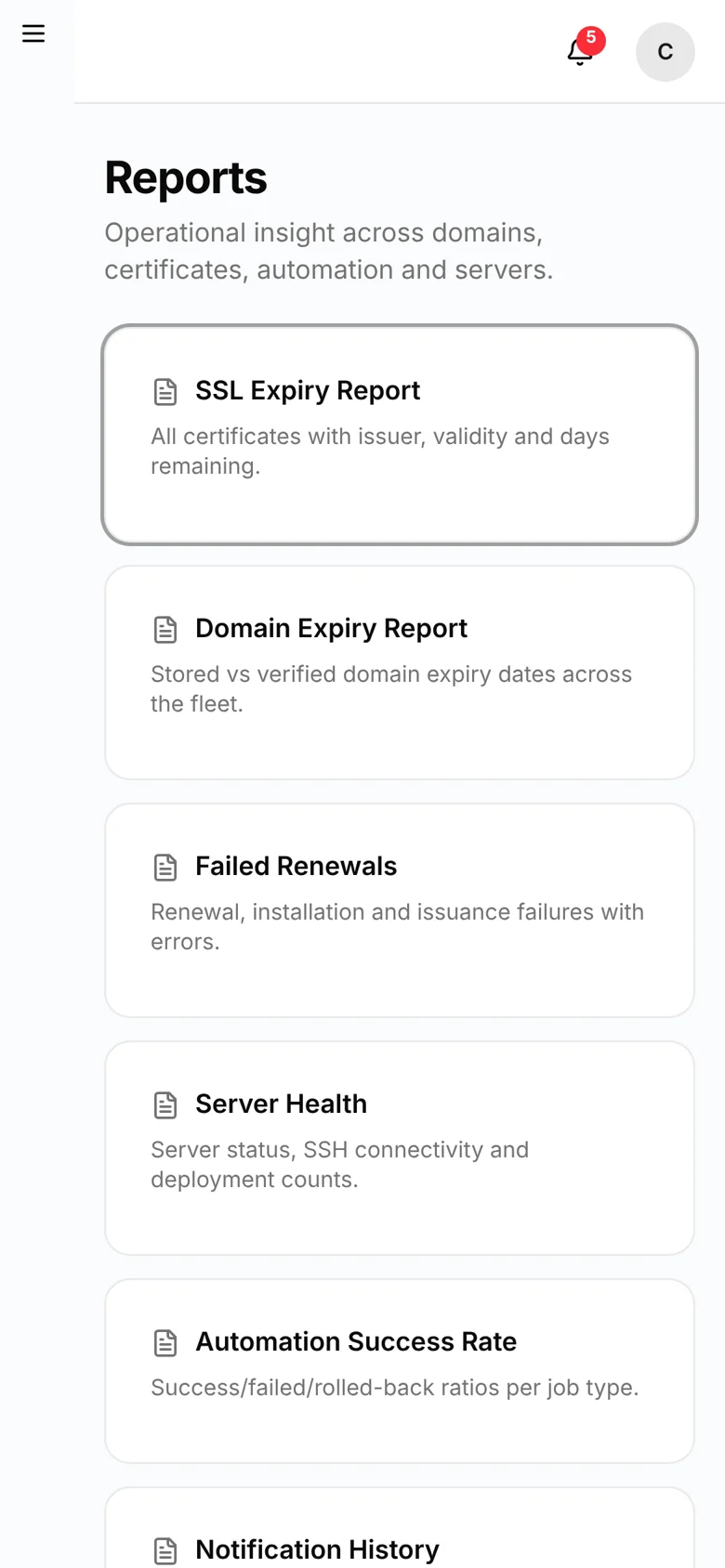
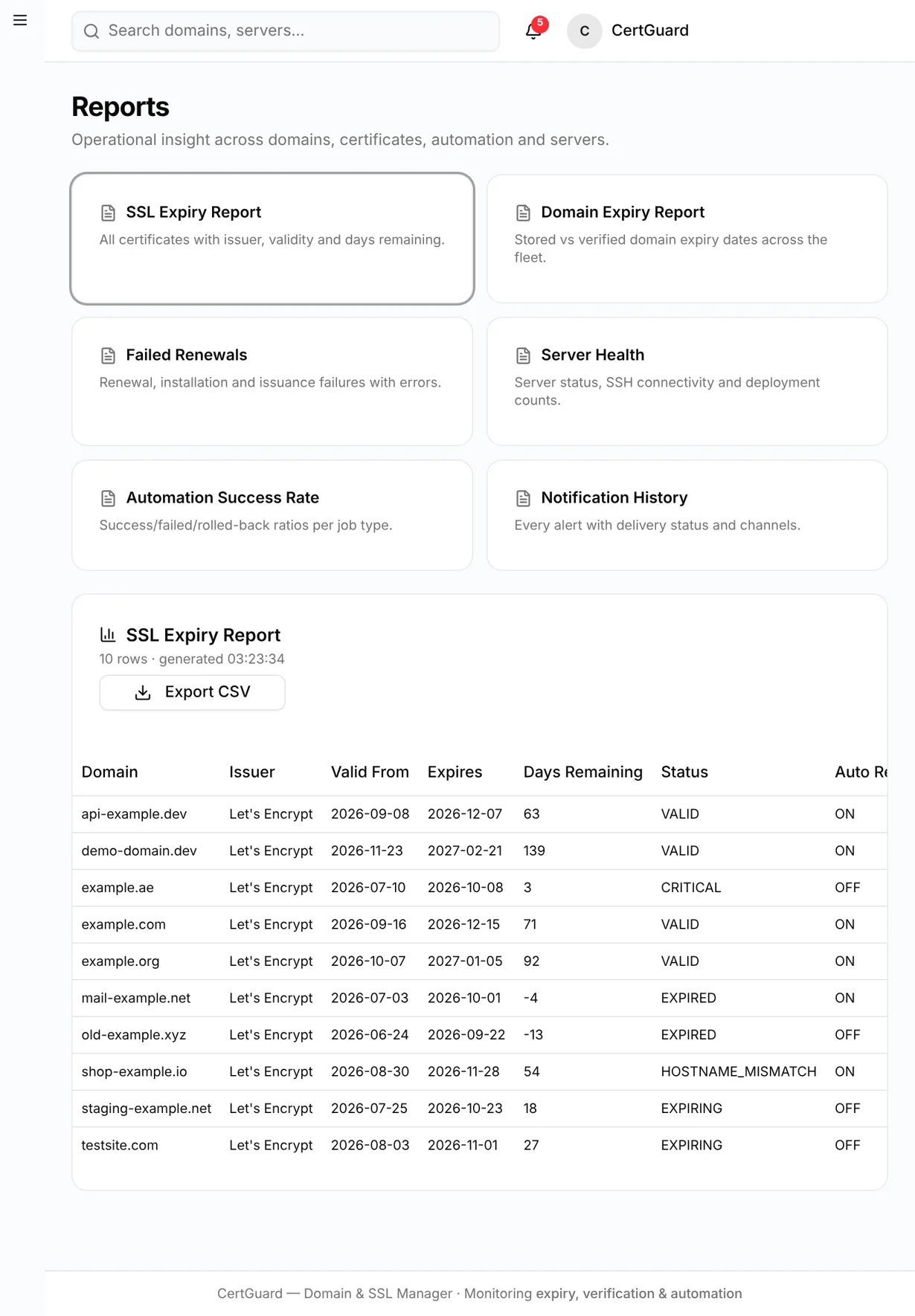
CertGuard — reports desktop full
reports desktop full
CertGuard — reports desktop
reports desktop
CertGuard — reports mobile
reports mobile
CertGuard — reports tablet
reports tablet
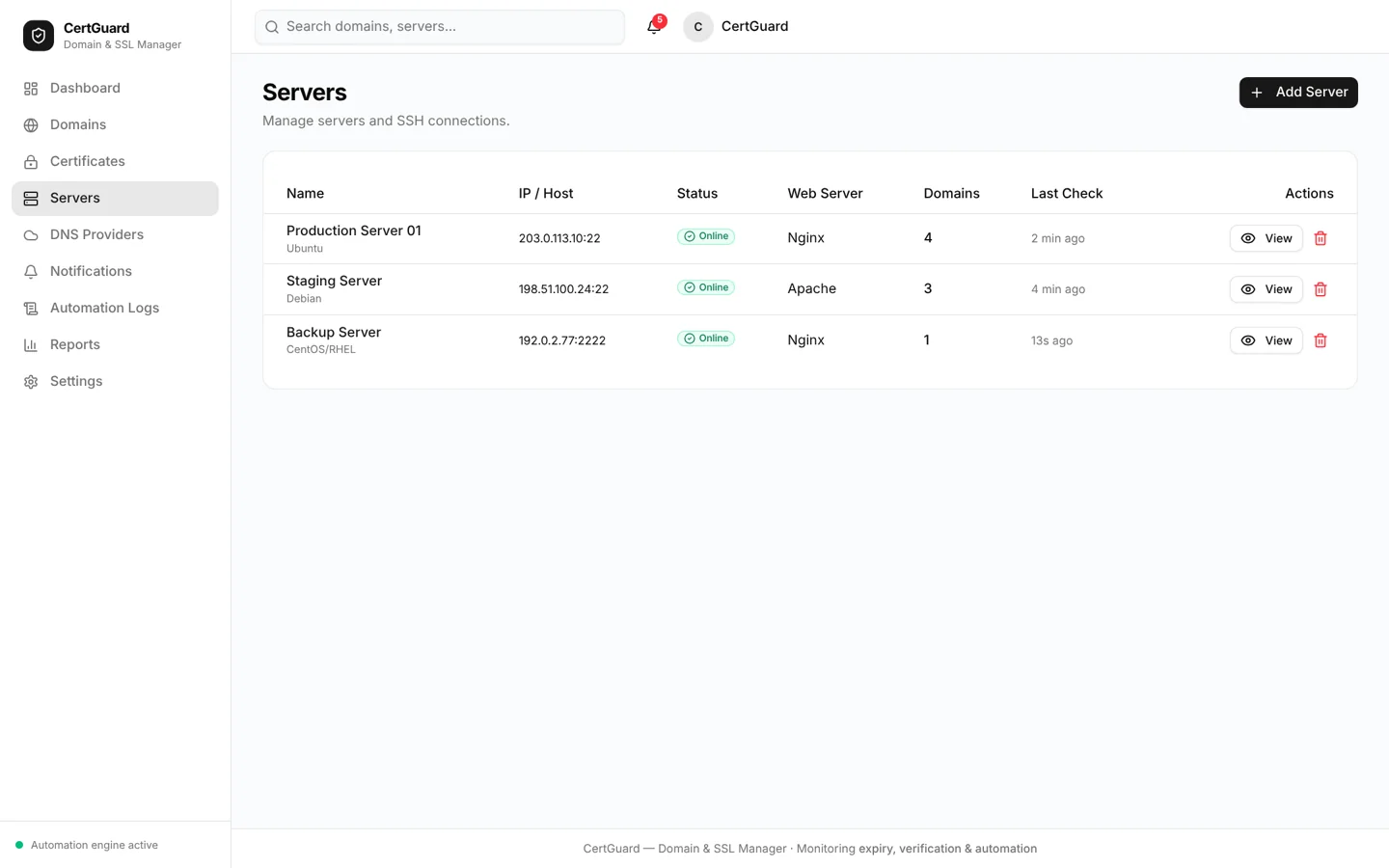
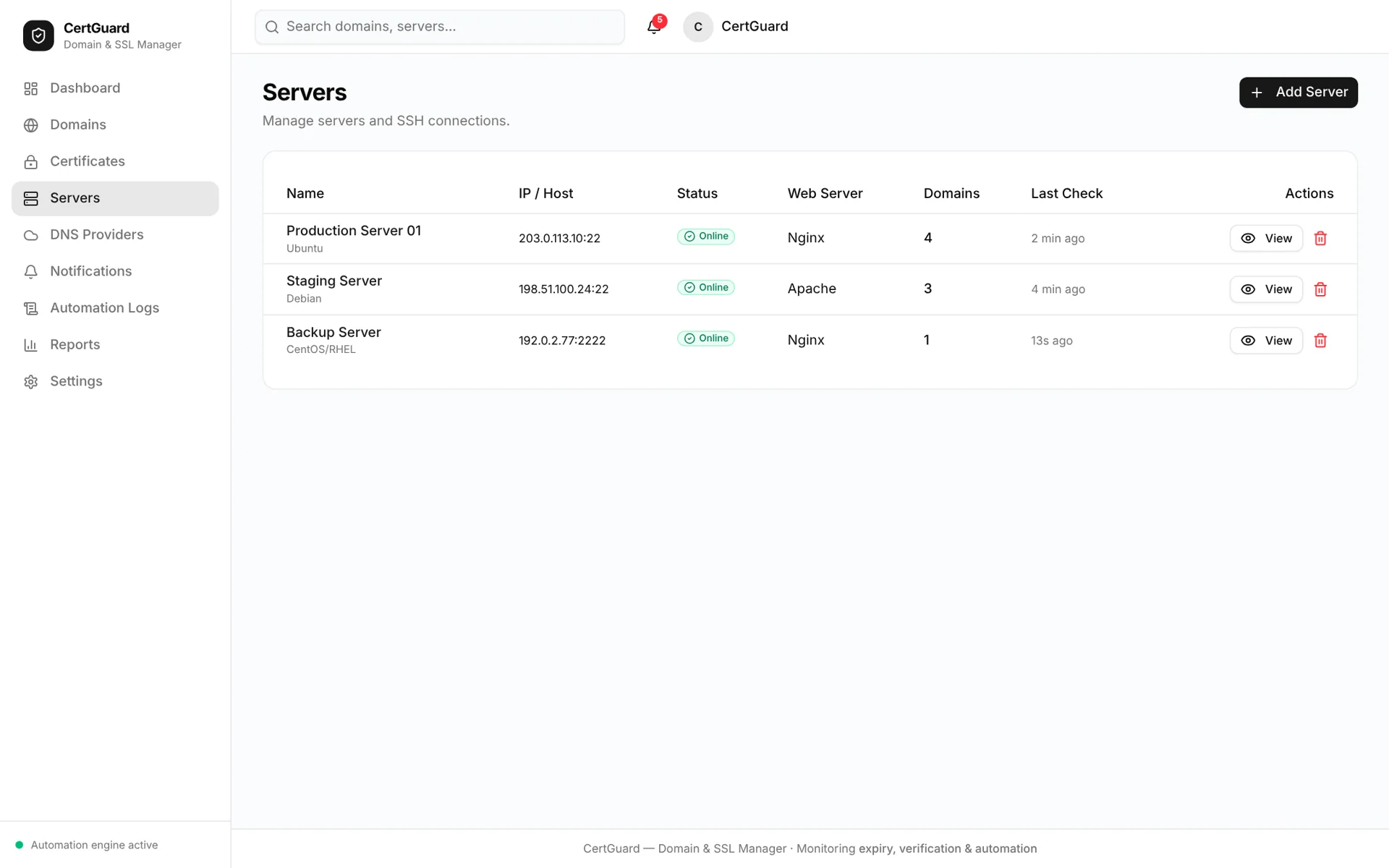
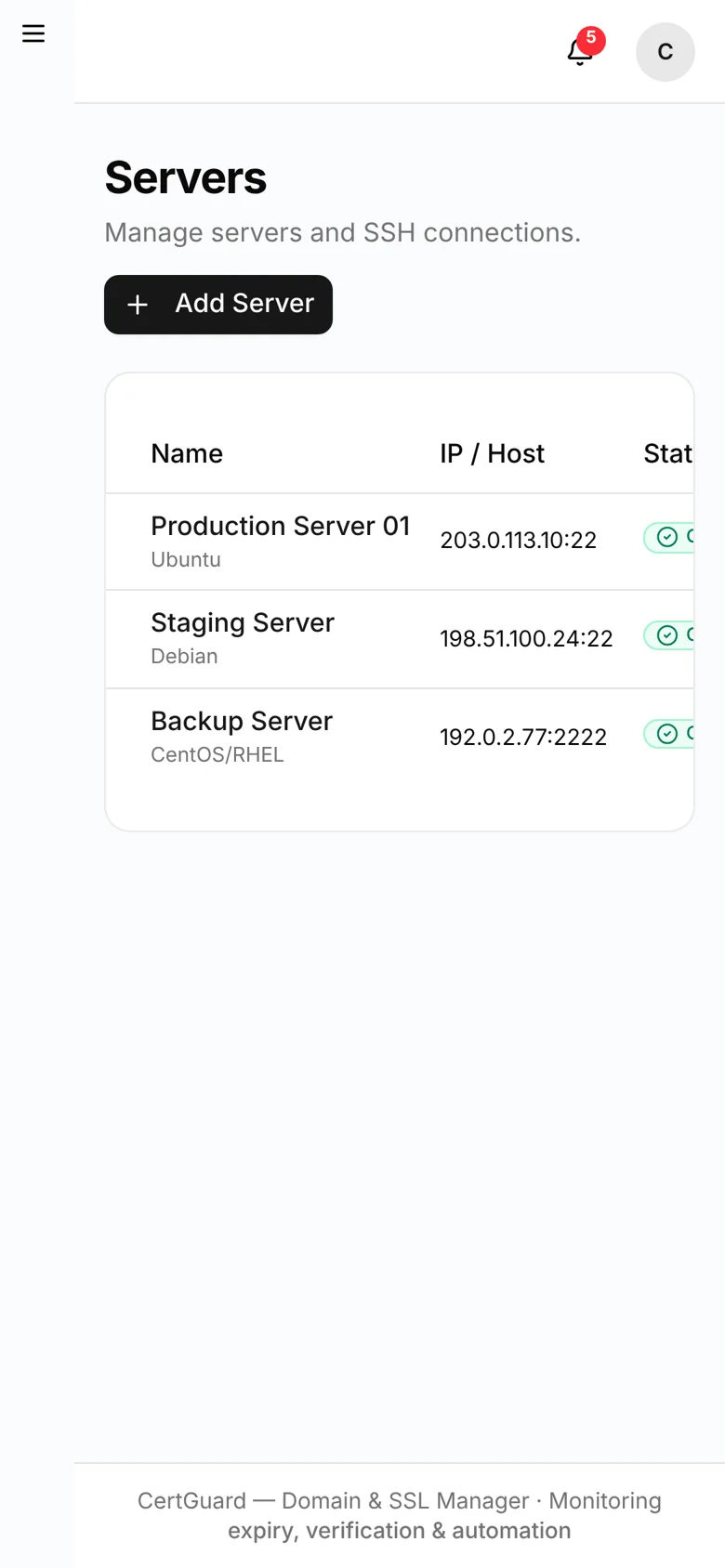
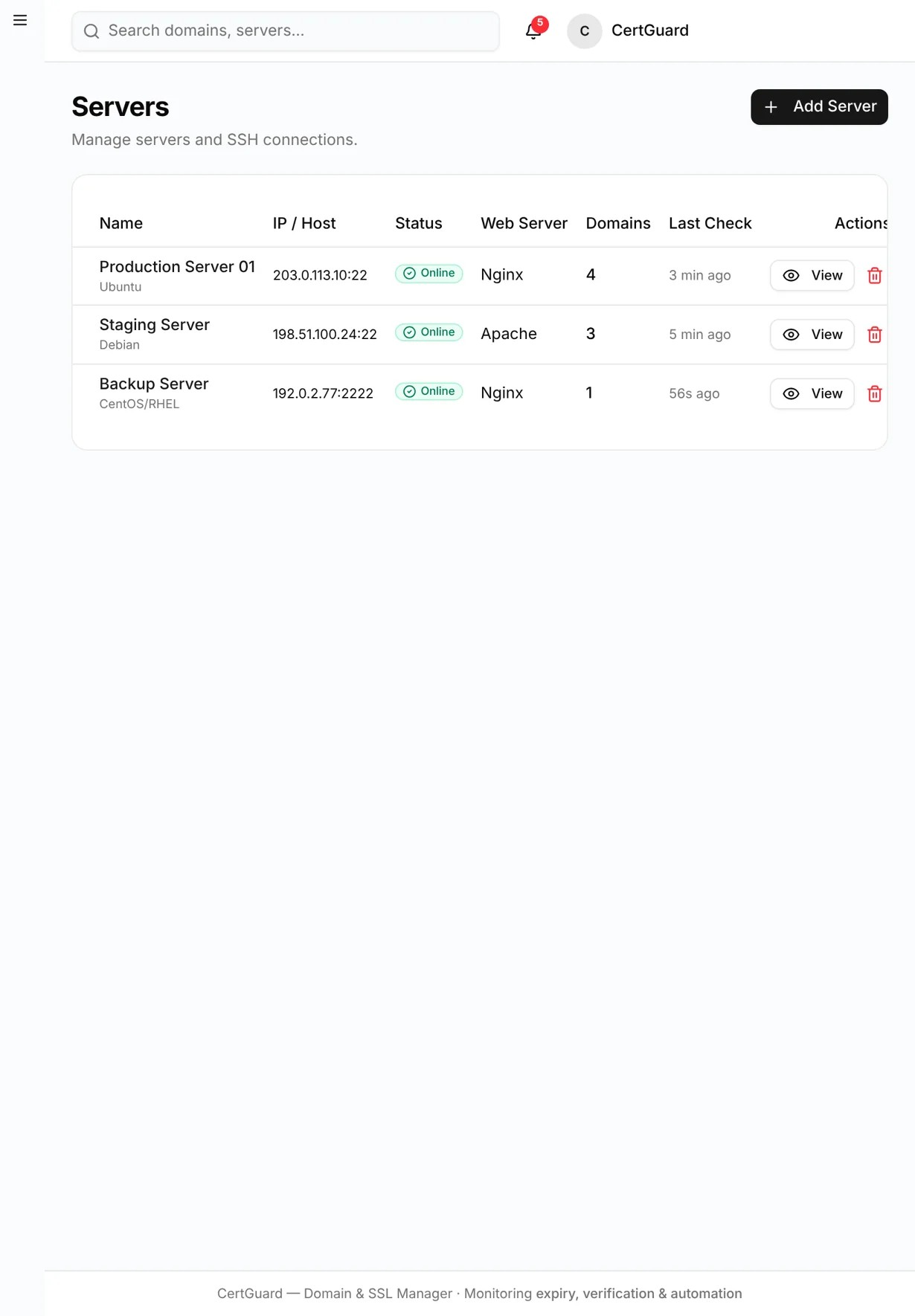
CertGuard — servers desktop full
servers desktop full
CertGuard — servers desktop
servers desktop
CertGuard — servers mobile
servers mobile
CertGuard — servers tablet
servers tablet

/ Project overview

CertGuard centralises domains, SSL/TLS certificates, servers and DNS providers for teams that manage many websites. Instead of trusting manually entered dates, it checks domain registration data and inspects the certificate served by each site, then flags mismatches, upcoming expiries and errors.

The application uses Next.js, TypeScript, Prisma and PostgreSQL. Domain expiry comes from RDAP, certificates are inspected over a live TLS connection, and issuance follows an ACME workflow with HTTP-01 or DNS-01 validation. The mockups use the built-in demonstration data (example.com-style domains).

Project
CertGuard
Technology
Next.js
Category
Domain & SSL management

/ The customer journey

How the workflow works

An administrator adds a domain; CertGuard verifies registration and certificate details and marks the record as verified or mismatched. The dashboard and notifications highlight what expires soon, and renewals can be requested, installed and verified with every step recorded.

  • RDAP domain verification and live SSL inspection
  • Stored-versus-discovered date comparison
  • ACME certificate request, renewal and rollback
  • SSH server registry with Nginx and Apache operations

/ Design and development focus

Design and development focus

Verification, issuance and installation are separate services behind interfaces, so providers can be swapped. Credentials and tokens are stored encrypted, deployments validate configuration before reload and roll back on failure, and every operation writes an audit entry.

  • Stored-versus-discovered date comparison
  • ACME certificate request, renewal and rollback
  • SSH server registry with Nginx and Apache operations
  • Email, WhatsApp, Telegram and Slack alerts
  • Automation logs, reports and role-based access

Working features CertGuard

01

Explore

Add domains and verify their registration and SSL details.

  • RDAP domain verification and live SSL inspection
  • Stored-versus-discovered date comparison
  • ACME certificate request, renewal and rollback
  • SSH server registry with Nginx and Apache operations
02

Connect

Compare stored dates with authoritative sources and resolve mismatches.

  • Stored-versus-discovered date comparison
  • ACME certificate request, renewal and rollback
  • SSH server registry with Nginx and Apache operations
  • Email, WhatsApp, Telegram and Slack alerts
03

Operate

Request, renew and install certificates with logged automation.

  • ACME certificate request, renewal and rollback
  • SSH server registry with Nginx and Apache operations
  • Email, WhatsApp, Telegram and Slack alerts
  • Automation logs, reports and role-based access
04

Review

Alert the right people well before any expiry date.

  • SSH server registry with Nginx and Apache operations
  • Email, WhatsApp, Telegram and Slack alerts
  • Automation logs, reports and role-based access
  • RDAP domain verification and live SSL inspection

/ Content and interface considerations

Implementation and scope

Developed application. Live certificate issuance and installation require configured ACME, DNS and SSH access; without them the issuance pipeline runs in a clearly marked simulation mode.

  • ACME certificate request, renewal and rollback
  • SSH server registry with Nginx and Apache operations
  • Email, WhatsApp, Telegram and Slack alerts
  • Automation logs, reports and role-based access

/ Project scope and next steps

Planning a similar project

CertGuard reflects the day-to-day work of keeping dozens of domains and certificates healthy. A similar tool starts with an inventory of domains, registrars, hosting servers and who must be notified before something expires.

  • SSH server registry with Nginx and Apache operations
  • Email, WhatsApp, Telegram and Slack alerts
  • Automation logs, reports and role-based access
  • RDAP domain verification and live SSL inspection

/ Our project commitments

Clear commitments throughout your project

Define pages, features, dependencies and acceptance criteria before implementation. Review scope changes against that shared brief.

NexPixels project teamNexPixels approach

Connect approved interface decisions to working components, clear interaction states and content controls your team can use.

NexPixels project teamNexPixels approach

Test mobile navigation, forms and purchase paths with realistic content, including empty results and invalid inputs.

NexPixels project teamNexPixels approach

Ready to discuss your website project?

  • Share your goals and current website.
  • Agree scope, milestones and review points.
  • Connect design, development and launch.

Discuss your project on WhatsApp:

NP
NexPixels teamDubai-based project team
Discuss your project

How can we help you?

Prefer email?
johnsantonyjo@gmail.com

Send your brief to the NexPixels enquiry inbox. Prefer a direct conversation? Email johnsantonyjo@gmail.com or WhatsApp +971 58 810 2728.

ShopifyCustom stores and Liquid development
FigmaResponsive UI/UX and design systems
ReactComponent-based websites and applications
ShopifyStorefront customisation and integrations
DjangoBackend platforms and REST APIs